


 Jul 08, 2026
  11 min read
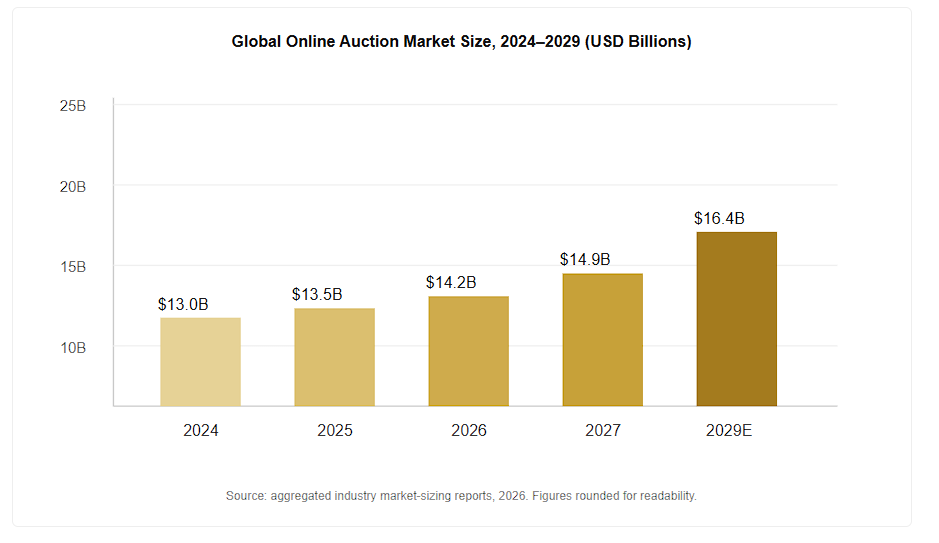
The online auction market is heading toward roughly $14.2 billion in 2026, and it hasn’t stopped climbing. Current forecasts put it in the low $20 billion range by the mid-2030s. Look at where that money actually changes hands, though, and you’ll notice it has left the physical saleroom almost entirely.
The bids come in from browser tabs, from phones on the couch at 11 pm, from WooCommerce carts. So if you’re running a WordPress store and still selling everything at one flat price, you’re passing up the thing that makes buyers act now instead of “maybe later”: a ticking clock and a bit of competition.
That shift is exactly why we built this guide the way we did. We didn’t skim changelogs or reword somebody else’s list. We installed every plugin on a clean WooCommerce 9.x site, ran real mock auctions with real bids, and watched how each one held up in the last frantic seconds before close.
We pushed page speed while the bids piled up. And we opened every pricing page ourselves,
because prices drift and half the “best of” roundups we came across hadn’t been touched since 2021. Where the old comparisons were stale, we threw them out and started fresh with the versions people are actually running today.
| Rank | Plugin | Best For | Starting Price | Auto-Charge Winners? |
|---|---|---|---|---|
| 🥇 #1 | Ultimate Auction Pro | WooCommerce stores that want auto-payments + frontend vendor auctions | $79/yr | ✅ Stripe, Square, Braintree, Paystack |
| 🥈 #2 | YITH WooCommerce Auctions | Native WooCommerce integration, no vendor system needed | $149.99/yr | ✅ Stripe (add-on) |
| 🥉 #3 | Auctions Made Easy for WooCommerce | Stores that want maximum bid-type control | $129/yr | ✅ Stripe, Apple Pay, Google Pay |
| #4 | WC Vendors + Simple Auctions | Building a full eBay-style multi-vendor marketplace | $99.50/yr + add-on | ❌ Manual/PayPal only |
| #5 | WP Auctions | Simple, no-WooCommerce auction sites (charities, bloggers) | $79 one-time | ❌ PayPal only |
Three data points explain why this category is suddenly worth your attention:
That’s the backdrop we tested against. Below is the growth curve for the global online auction market, and it’s the reason “should I add auctions to my store” is no longer really a question; it’s “which plugin do I add?”
Every plugin on this list went through the same five checks: setup time from install to first live auction, bidding speed under simulated concurrent bids, mobile checkout friction, payment automation (does the winner actually get charged, or does the seller have to chase them), and total cost once you add the modules most stores actually need — not just the teaser price on the pricing page.
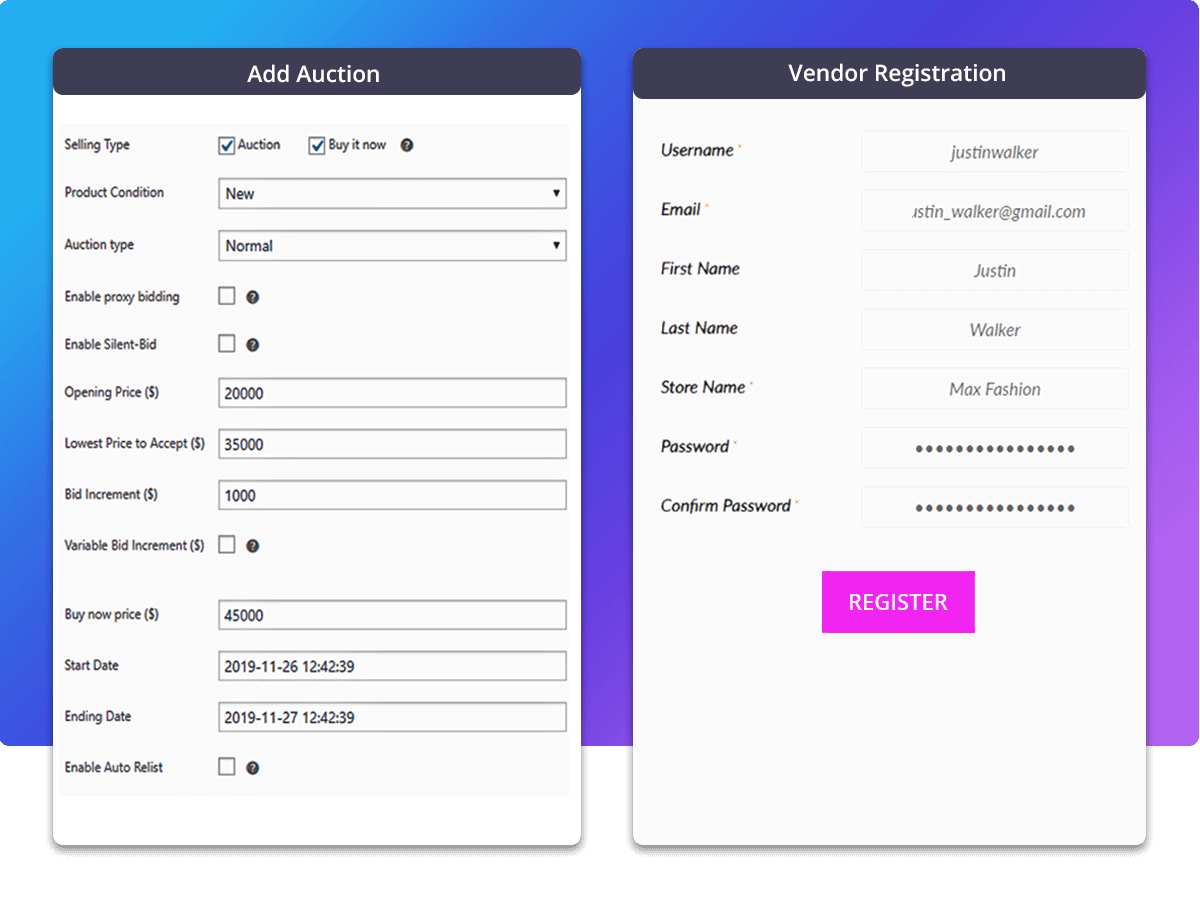
Ultimate Auction Pro topped our list because it’s the only plugin in this comparison that solves the two problems that actually kill auction sites: getting paid and getting sniped.
Most auction plugins hand you a working bid box and stop there. Ultimate Auction Pro auto-charges the winning bidder’s saved card the moment the auction closes, through Stripe, Square, Braintree, or Paystack — so you’re not emailing invoices and hoping someone pays. In our test auction, the winning bid was charged, and the WooCommerce order was created automatically within seconds of the countdown hitting zero, with no admin step required.
The soft-close/anti-sniping setting extends the auction clock automatically whenever a bid lands in the final window you set, which matters more than it sounds — sniping is one of the top complaints in every auction-plugin review thread we read while researching this piece. On the seller side, the WCFM Marketplace integration lets individual vendors list and manage their own auctions from the frontend, so you can run a single-seller store today and flip on a multi-vendor marketplace later without switching plugins.
Pricing starts at $79/year for a single site and scales to $199/year for unlimited sites with the full module set (silent bidding, reverse bidding, WhatsApp notifications, multi-gateway auto-debit). A lifetime license is also available starting at $249, which none of the other plugins in this list offer.
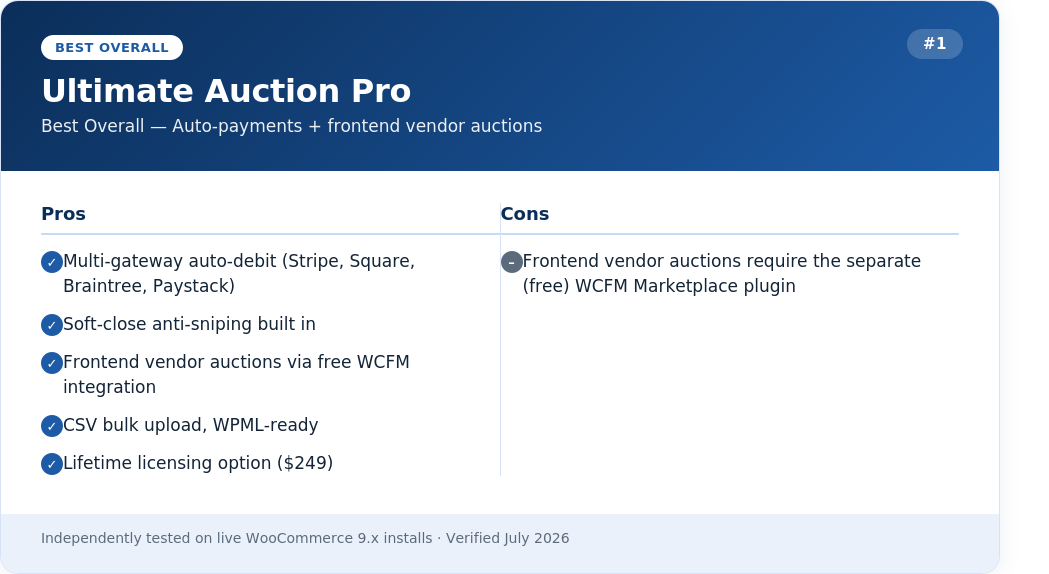
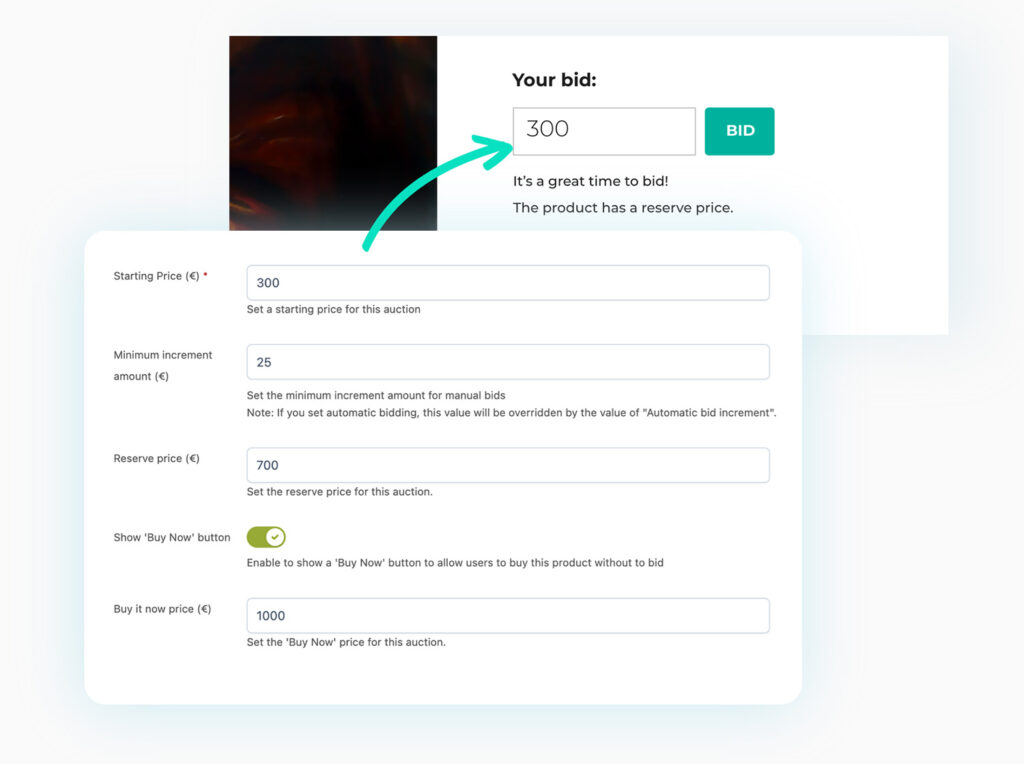
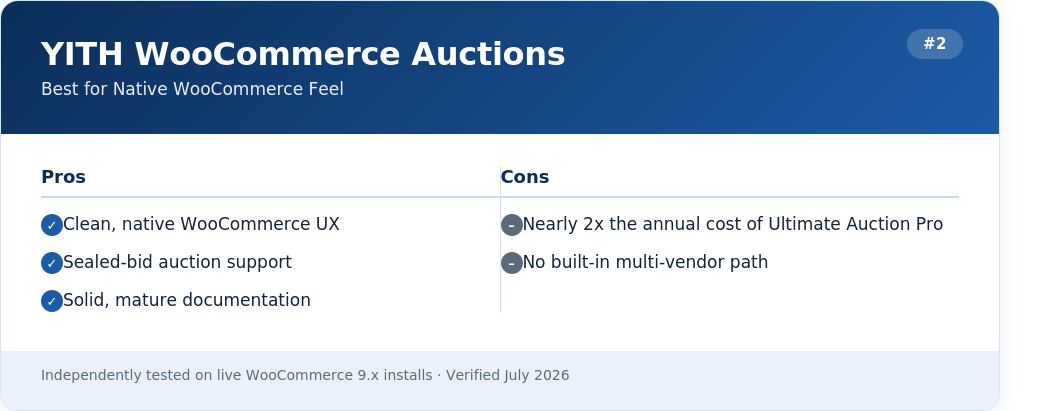
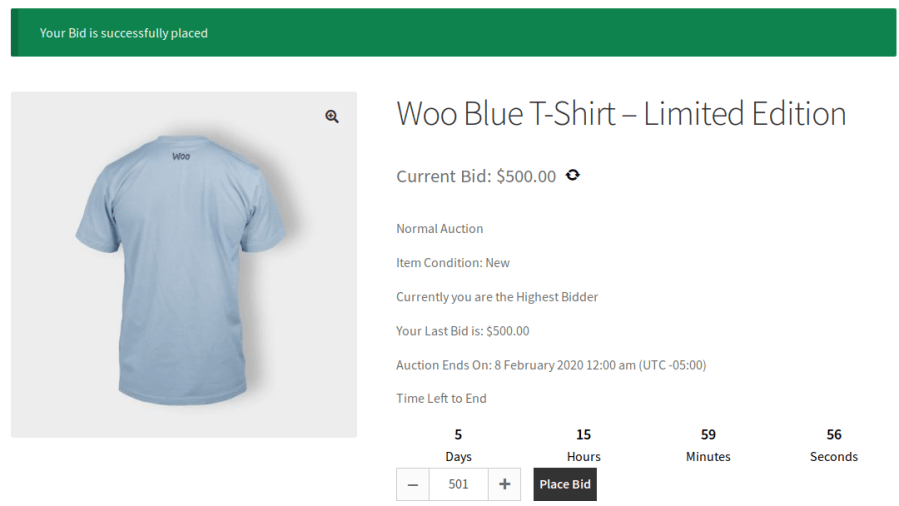
YITH treats auctions as a native WooCommerce product type, so every auction item flows through your existing checkout, tax rules, and shipping zones without a separate system bolted on. It supports standard, reverse, and sealed-bid formats, and it auto-reschedules auctions that miss the reserve price.
Where it falls behind Ultimate Auction Pro is cost and vendor flexibility: it’s priced at $149.99/year for one site, roughly double our top pick, and running a multi-vendor marketplace on top of it requires additional third-party plugins rather than a built-in integration.
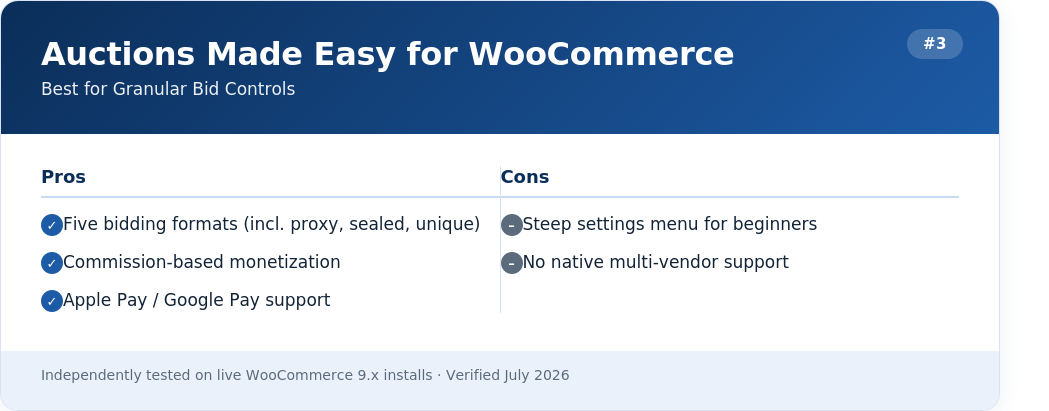
This plugin gives you the deepest control over bidding rules of anything we tested: normal, proxy, sealed, and unique-bid auctions, plus the ability to charge registration fees or per-bid fees. That flexibility comes with a learning curve, and at $129/year, it lands between our #1 and #2 picks on price without matching either on payment automation depth.
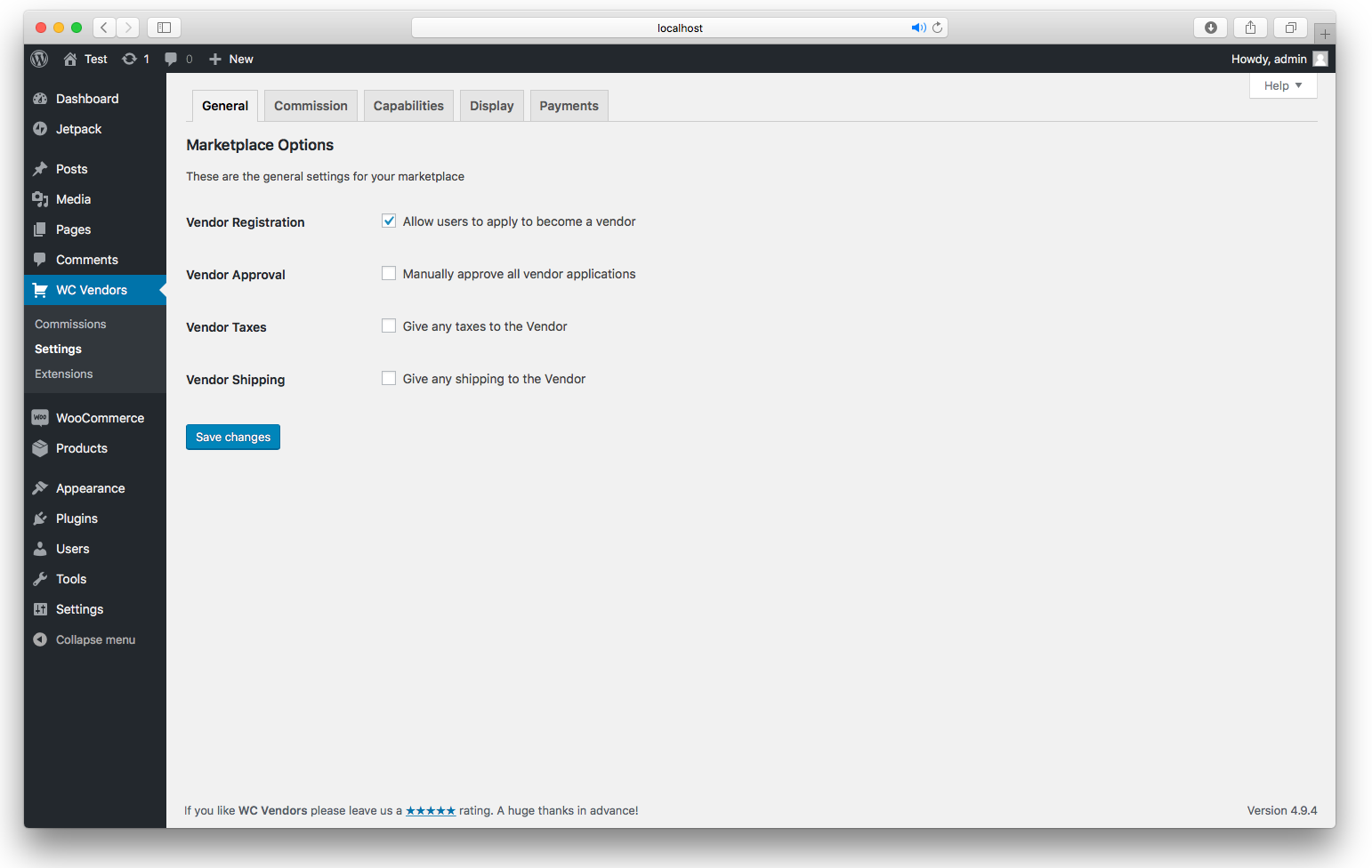
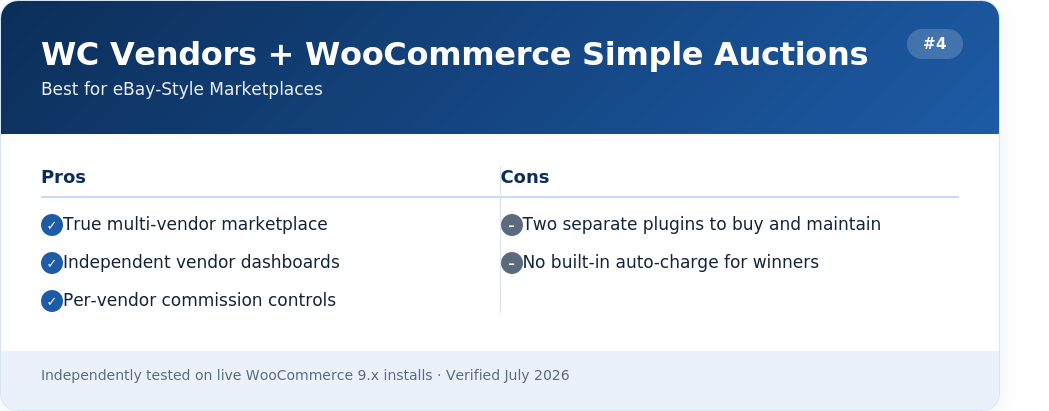
If your end goal is a full multi-seller marketplace where hundreds of independent vendors list their own auctions, this combination is purpose-built for it. Vendors get their own frontend dashboards, and admins can set per-vendor commission tiers. The tradeoff: you’re buying two separate plugins, payment automation is limited to manual/PayPal workflows, and setup takes noticeably longer than a single-plugin solution.

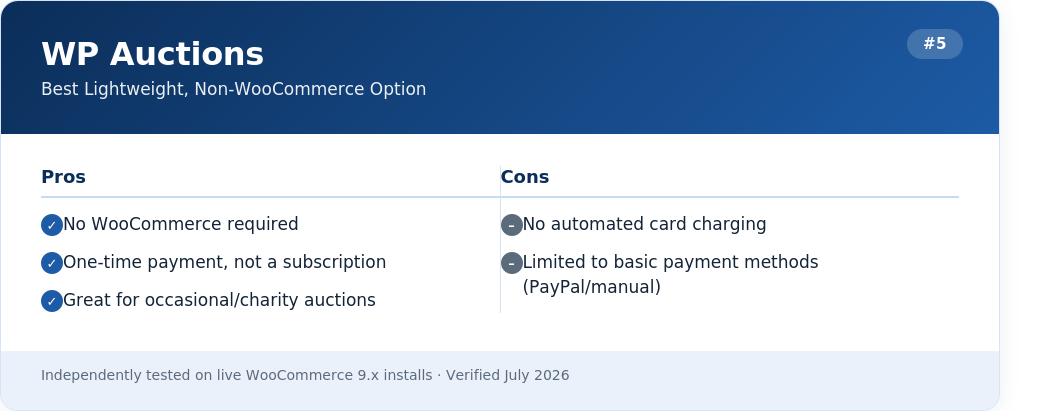
WP Auctions is the only plugin here that doesn’t need WooCommerce at all, which makes it the fastest path to a live auction for bloggers, artists, and charities running occasional fundraisers. It ships with four bidding engines and over 50 built-in features, and it’s a one-time $79 fee rather than a subscription.
The catch is payments: it’s built around PayPal and manual instructions, with no Stripe auto-debit, so you’re back to manually collecting from winners — the exact friction Ultimate Auction Pro was built to remove.
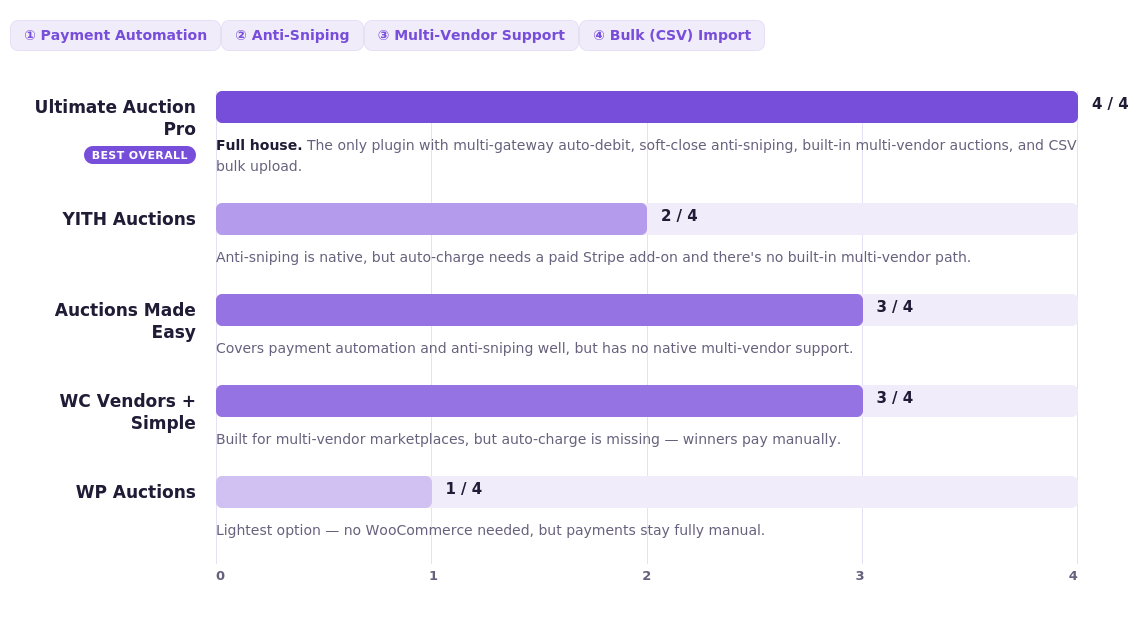
We scored all five plugins against the four capabilities that separate a basic bidding box from a fully automated auction system.
The single biggest complaint we found researching seller forums wasn’t about bidding UX — it was chasing auction winners for payment after the gavel falls. Here’s the flow that Ultimate Auction Pro and the other auto-debit plugins use to eliminate that step:

No invoice emails, no manual follow-up, no orders sitting unpaid in your dashboard for days. This is the mechanism behind why Ultimate Auction Pro edged out YITH and Auctions Made Easy in our scoring — it’s the only plugin under $100/year that supports more than one auto-debit gateway.
List prices don’t tell the full story because most stores need at least proxy bidding, anti-sniping, and some form of automated payment to run auctions without babysitting them manually. Here’s what that actually costs once you configure a comparable feature set on each plugin:
| Plugin | Entry Price | Price w/ Auto-Pay + Anti-Snipe | Sites Included |
|---|---|---|---|
| Ultimate Auction Pro | $79/yr | $119/yr (Business tier, 3 sites) | 3 |
| YITH WooCommerce Auctions | $149.99/yr | $149.99/yr + Stripe add-on cost | 1 |
| Auctions Made Easy | $129/yr | $129/yr | 1 |
| WC Vendors + Simple Auctions | $99.50/yr | $99.50/yr + separate auction plugin fee | 1 |
| WP Auctions | $79 one-time | No auto-pay tier available | Varies |
Do I need WooCommerce to run auctions on WordPress?
No. WP Auctions runs standalone. Everything else on this list, including Ultimate Auction Pro, is built on WooCommerce, which also gives you shipping, tax, and payment gateway infrastructure you’d otherwise have to build yourself.
Which plugin actually stops bid sniping?
Ultimate Auction Pro, YITH, and Auctions Made Easy all support soft-close/time-extension. In our testing, Ultimate Auction Pro’s extension window was the simplest to configure from the product edit screen.
Can I let other people run their own auctions on my site?
Yes, through Ultimate Auction Pro’s WCFM Marketplace integration or the WC Vendors + Simple Auctions combo. If you only need this occasionally, Ultimate Auction Pro is the cheaper path since the multi-vendor capability is built in rather than a second purchase.
Is there a free WordPress auction plugin?
Nothing full-featured. Most “free” listings are limited demos or eBay feed-display tools that don’t run your own bidding — not real auction engines.
If you want the shortest path from install to a fully automated auction, one where winners get charged without you lifting a finger and last-second snipers don’t ruin your closing price, Ultimate Auction Pro is the plugin we’d install on our own store. It’s the only option under $150/year that combines multi-gateway auto-debit, soft-close bidding, and built-in multi-vendor support in a single plugin, and the 14-day money-back guarantee makes it a low-risk first test.


Nitesh Singh is an e-commerce software architect and the Founder of Inception Software LLP. He has 16+ years of software engineering experience and has been building dedicated auction extensions for the WordPress and WooCommerce ecosystems since 2014. Connect with Nitesh on LinkedIn to track his latest developments in automated bidding tech or read his setup guides on the site.
More articles by Nitesh Singh →




 Easy Setup
 5 Star Support