

 Aug 05, 2026
  10 min read
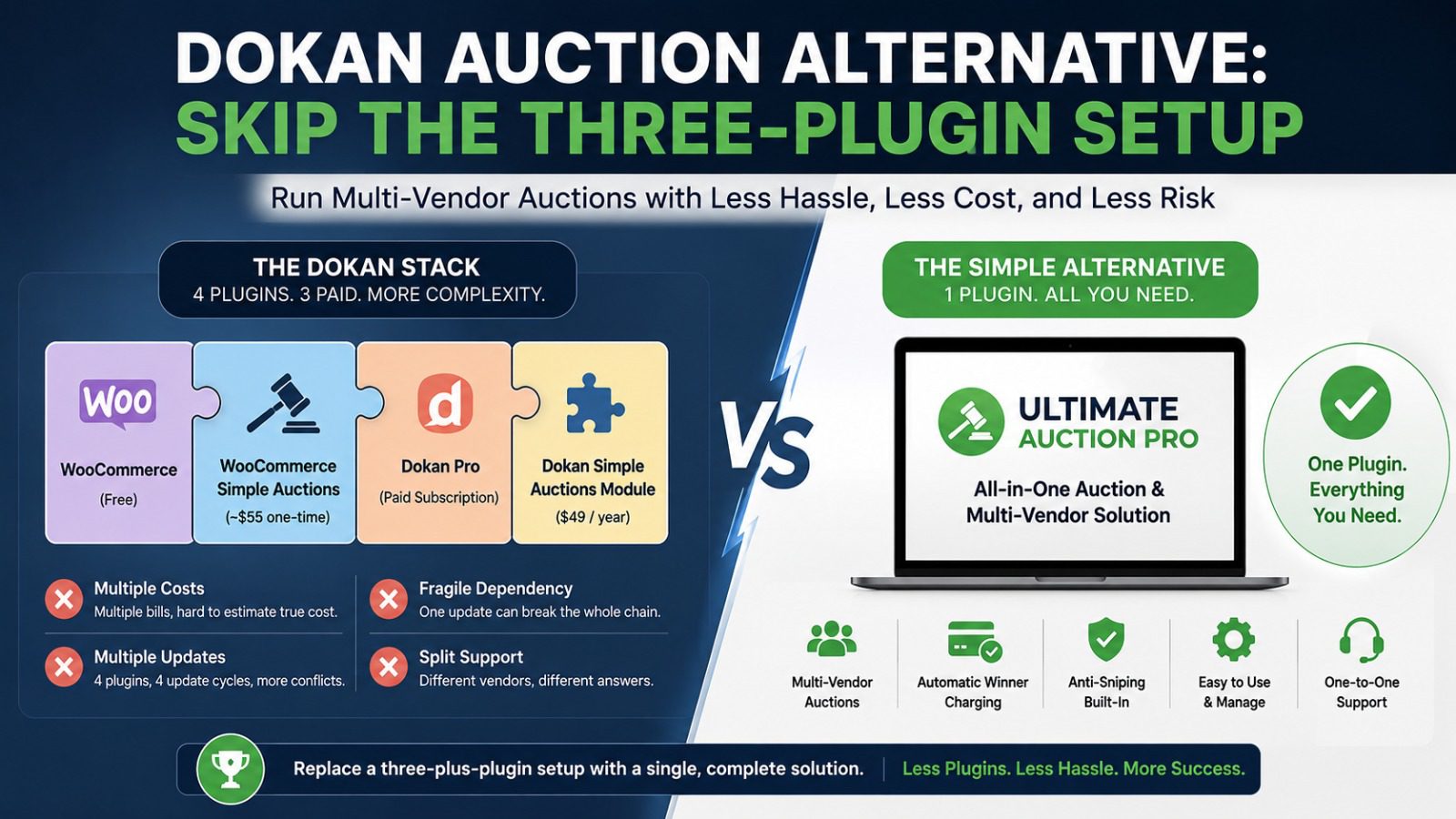
To run vendor auctions on Dokan, you don’t install one plugin. You install three, plus a paid add-on. WooCommerce for the store, WooCommerce Simple Auctions for the bidding engine, Dokan Pro for the marketplace, and then Dokan’s auction module on top, which only comes with the higher-priced plans. If you’re building a multi-vendor auction site, that’s a lot of moving parts to buy, connect, and keep updated before a single bid is placed. There’s a simpler way to get the same result, and this guide walks through it.
“The simplest Dokan auction alternative is a plugin that runs multi-vendor auctions on its own, without stacking Dokan, WooCommerce Simple Auctions, and a separate auction module. Ultimate Auction Pro does this: it includes multi-vendor support through the free WCFM marketplace, so vendors can list and run their own auctions from one install, with automatic winner charging and anti-sniping built in. You replace a three-plus-plugin setup with a single plugin that does the same job.”
Dokan is a serious marketplace platform. It powers over 50,000 multi-vendor sites, and if you’re building the next Etsy or eBay, it’s a genuinely strong choice. But auctions aren’t something Dokan does on its own. They’re a bolt-on, and the setup shows it.
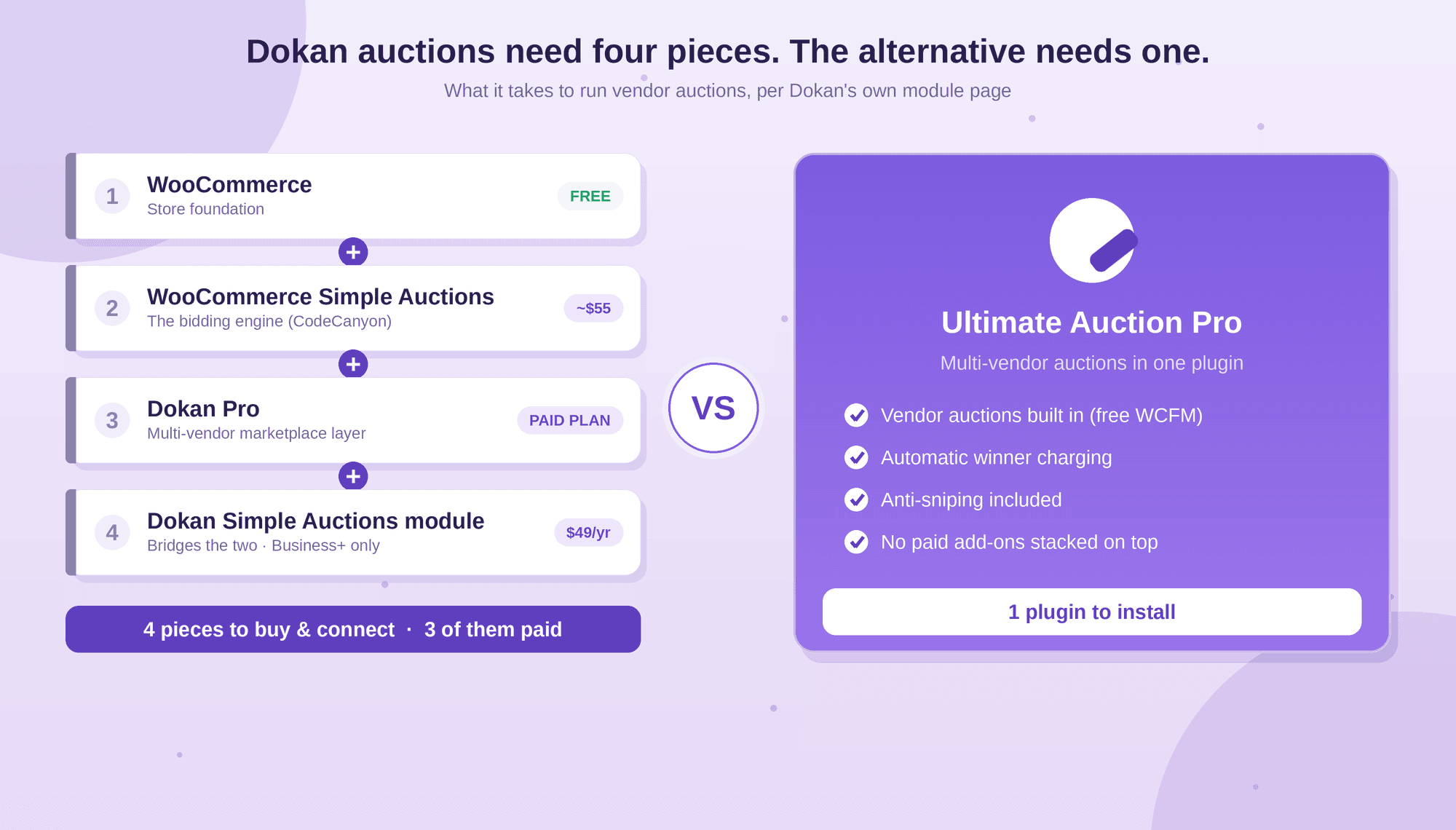
Here’s what you actually need, according to Dokan’s own module page:
WooCommerce. The free store foundation everything else sits on. Fair enough, most WordPress stores run it anyway.
WooCommerce Simple Auctions. This is the piece that actually runs the bidding. It’s a separate third-party plugin sold on CodeCanyon for around $55, and it’s a required purchase. Dokan doesn’t have its own auction engine, so it borrows this one.
Dokan Pro. The paid marketplace layer that turns your store into a multi-vendor site. This is a subscription, not a one-time cost.
The Dokan Simple Auctions module. A $49-per-year add-on that bridges the two, letting vendors create auctions from their dashboard. It’s only available on Dokan’s Business and Enterprise plans, so the cheaper tiers can’t run auctions at all.
Add that up and the picture is clear. Before a single bid is placed, you’re buying and connecting four separate pieces, three of them paid, and you’re locked into Dokan’s higher-priced plans to get there. Each one updates on its own schedule, has its own support channel, and is one more thing that can break when another updates.
None of this makes Dokan bad. It makes it a marketplace platform that treats auctions as an afterthought, because that’s what it is. If auctions are the whole point of your site rather than a side feature, that’s a lot of overhead to carry for something bolted onto the edge.
Stacking pieces isn’t just untidy. Each one you add is a real, ongoing cost in money, time, and risk. Here’s what that actually looks like in practice.
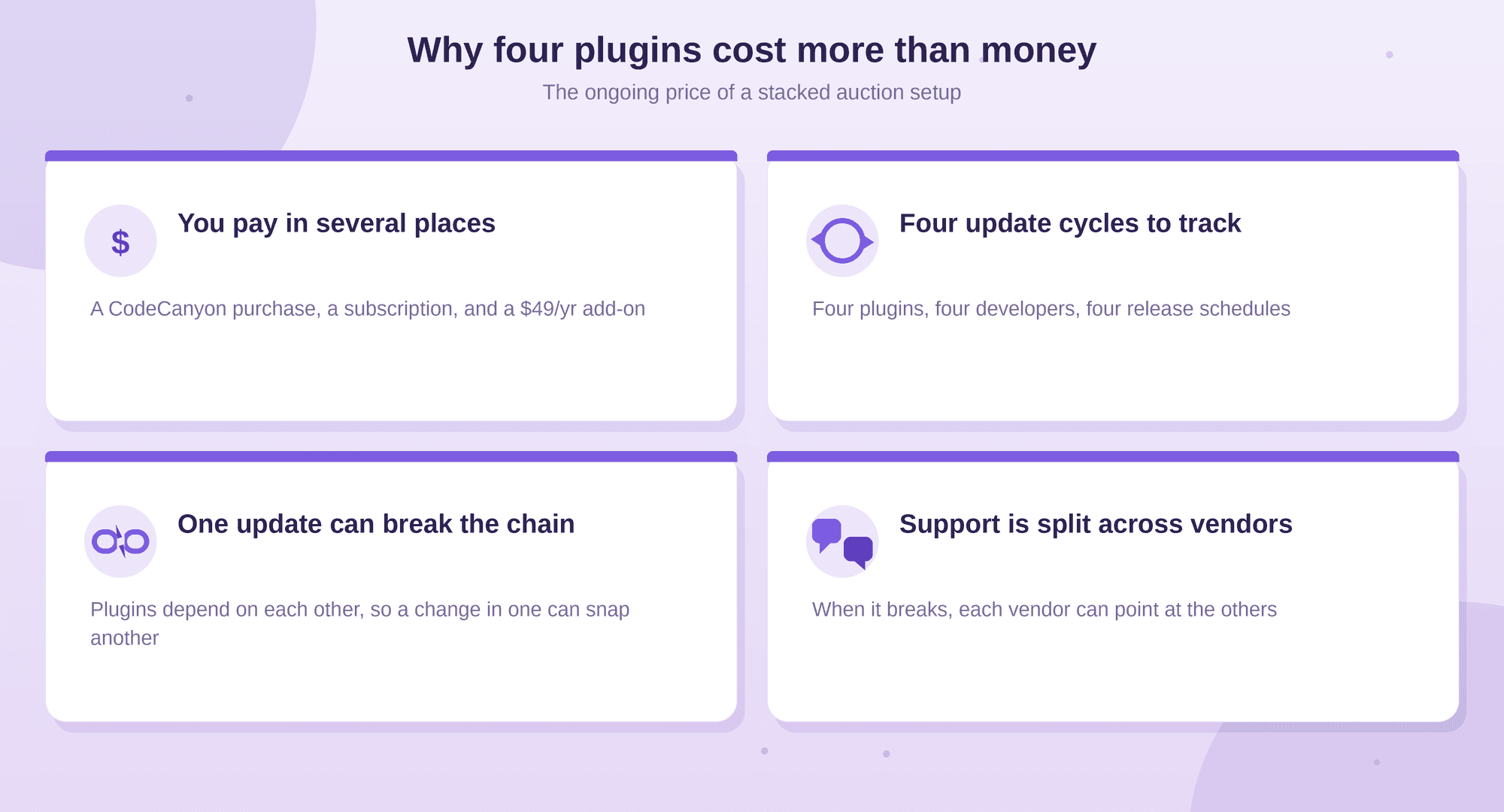
You pay in more than one place. WooCommerce Simple Auctions is a separate CodeCanyon purchase, Dokan Pro is its own subscription, and the auction module adds $49 a year on top, only on the Business and Enterprise plans. There’s no single price to point at, so the true cost is easy to underestimate until the renewals land.
Everything updates on its own schedule. Four pieces means four update cycles from different developers. When WooCommerce pushes a major release, you’re waiting on WooCommerce Simple Auctions, Dokan, and the module to each confirm they still play nicely. Until they do, you’re deciding between updating and risking a break, or holding back and risking a security gap.
One update can break the chain. Because these plugins depend on each other, a change in one can quietly break another. A Simple Auctions update can affect how the Dokan module reads it. The more links in the chain, the more places a single update can snap it, and the harder it is to tell which piece caused the problem.
Support is split across vendors. When something goes wrong, whose problem is it? Simple Auctions points at Dokan, Dokan points at the module, and you’re stuck relaying messages between teams that didn’t build their plugins to be debugged together. A single-plugin setup has one place to ask.
None of this means the stack can’t work. Plenty of sites run it. But every extra piece is another bill, another update to watch, and another thing that can fail at the worst moment, and those costs are ongoing, not one-time.
The alternative to stacking four pieces is to use one plugin that already does the job. Ultimate Auction Pro runs multi-vendor auctions on WooCommerce without a separate auction engine, a marketplace subscription, and a bridge module glued on top.
Here’s how it covers the same ground the Dokan stack does, in one install:
Multi-vendor auctions are built in. Vendors list and run their own auctions from the front end through the free WCFM marketplace companion. You’re not buying Dokan Pro and a separate auction module to get there.
Winners are charged automatically. When an auction ends, the plugin charges the winning bidder’s card through Stripe, Square, Braintree, or Paystack. The Dokan stack leans on WooCommerce Simple Auctions for bidding, but automatic collection isn’t its strong point, so this is a real difference, not a rephrasing.
Anti-sniping comes standard. Bids in the final seconds extend the auction, so nobody steals a lot at the buzzer.
The honest version of the claim: it’s one paid plugin plus one free companion (WCFM), not four pieces with three of them paid. That’s still a dramatically simpler setup, and it’s a fair way to say it.
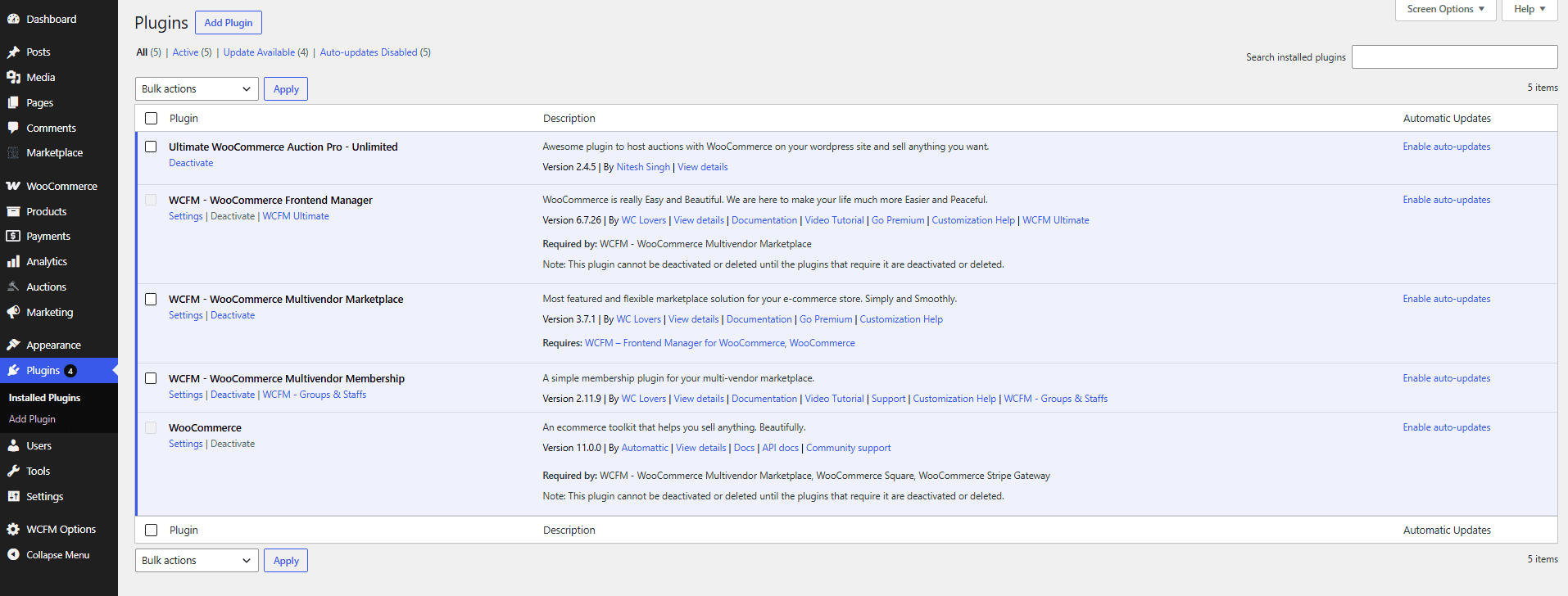
Side by side, the difference isn’t really features. Both can run multi-vendor auctions with reserve prices, anti-sniping, and automatic charging. The difference is how many pieces you assemble to get there, and what that costs you to buy and maintain.
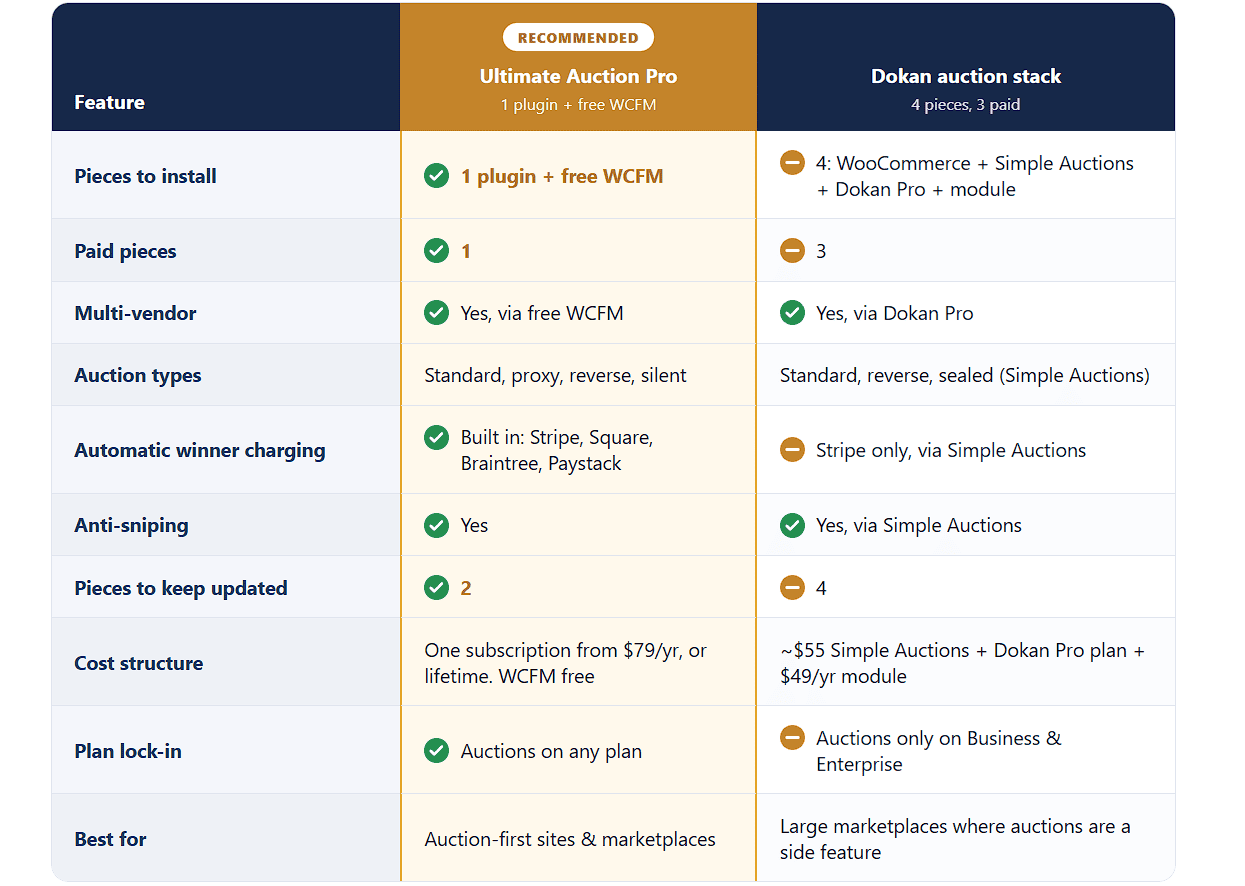
The pattern is clear. You get the same core auction features either way, but the Dokan route means three paid pieces, four things to update, and a forced upgrade to a higher-tier plan before auctions even switch on. Ultimate Auction Pro folds that into one plugin and a free companion.
Where Dokan genuinely wins: if auctions are a small part of a big general marketplace, Dokan’s broader ecosystem is the stronger foundation. It has a huge library of vendor-management add-ons, membership and subscription modules, and years of marketplace-specific features that a purpose-built auction plugin doesn’t try to match. If you’re building the next Etsy and auctions are just one listing type among many, that depth matters more than plugin count. But if auctions are the point of your site, that’s a lot of marketplace machinery to run for a feature Dokan treats as an add-on.
To be straight about it, Ultimate Auction Pro isn’t the right pick for everyone reading this. There are real cases where the Dokan stack, extra pieces and all, is the better call.
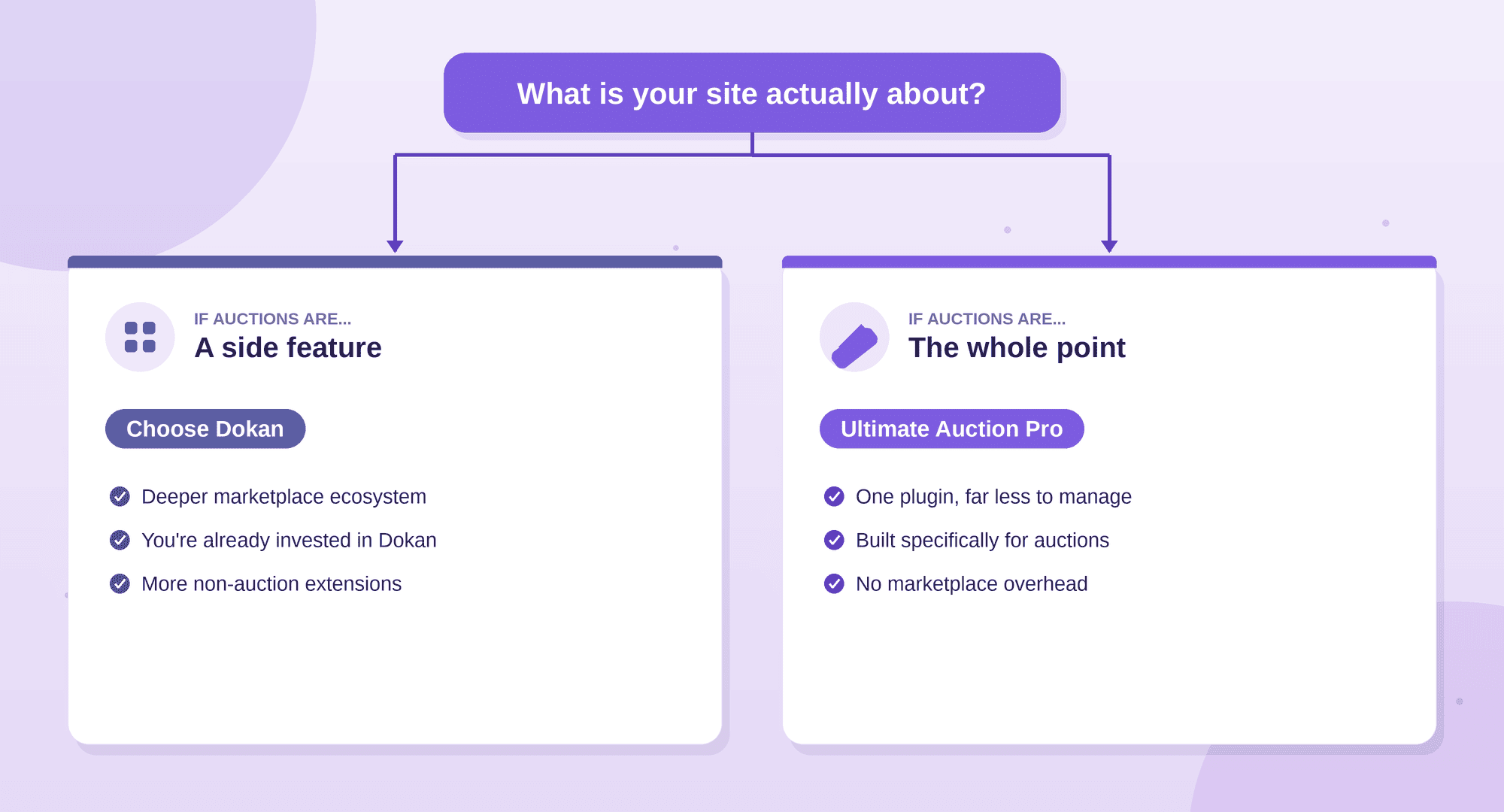
If auctions are a small part of a much bigger marketplace, Dokan wins. Say you’re building a general multi-vendor site where most sales are fixed-price, and auctions are just one listing type among many. That’s exactly what Dokan is built for. Its ecosystem runs deep: vendor verification, per-vendor stores and staff accounts, membership and subscription modules, shipping and commission tools, and years of marketplace features a purpose-built auction plugin doesn’t try to match. In that setup, the auction module is a reasonable add-on to a platform you’d be running anyway.
If you’re already invested in Dokan, it makes sense too. If your site is live on Dokan Pro, your vendors know the dashboard, and you just want to add occasional auctions, bolting on the module is less disruptive than rebuilding your marketplace around a different plugin.
And if you need marketplace features that have nothing to do with auctions, Dokan’s catalog of extensions is far larger. That breadth is its real strength.
The honest dividing line is simple. Ask what your site is actually about. If it’s a broad marketplace that happens to include auctions, Dokan’s depth is worth the extra plugins. If auctions are the whole point, the point of the site, not a side feature, then carrying a full marketplace platform to run them is overhead you don’t need, and a single auction-first plugin does the job with far less to manage.
A couple of notes. The concessions here are real ones (deeper ecosystem, less disruption if you’re already on Dokan, more non-auction extensions), not straw men, which is what makes the section do its credibility job. And I ended on the dividing line rather than a re-pitch, so it reads as genuine guidance. That “what is your site actually about” framing is also useful because it hands the reader a clean decision rule, and the answer naturally sorts auction-first sites toward you without you having to claim you win every case.
Here’s the actual process, start to finish. It’s short, which is the whole point.
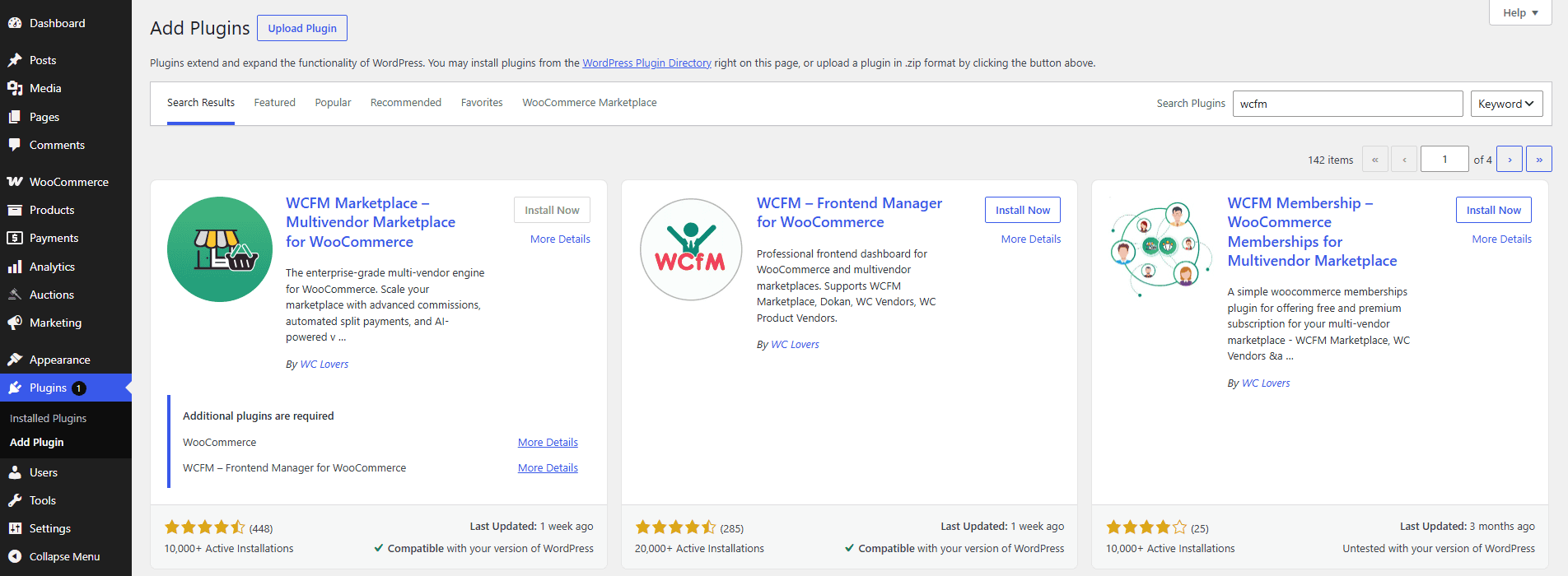
1. Create your first auction. There’s no separate auction module to switch on. Once the plugin is active, auction options appear automatically in the WooCommerce product screen, so you select Auction as the product type and configure it from there.
2. Set your global defaults. Anti-sniping is under Auctions > Settings > Timer and Soft Close, where you set how much time a late bid adds. Your global bid increment is under Auctions > Settings > Extra Settings, and it applies to every auction on the site. Set these once, and every vendor inherits them.
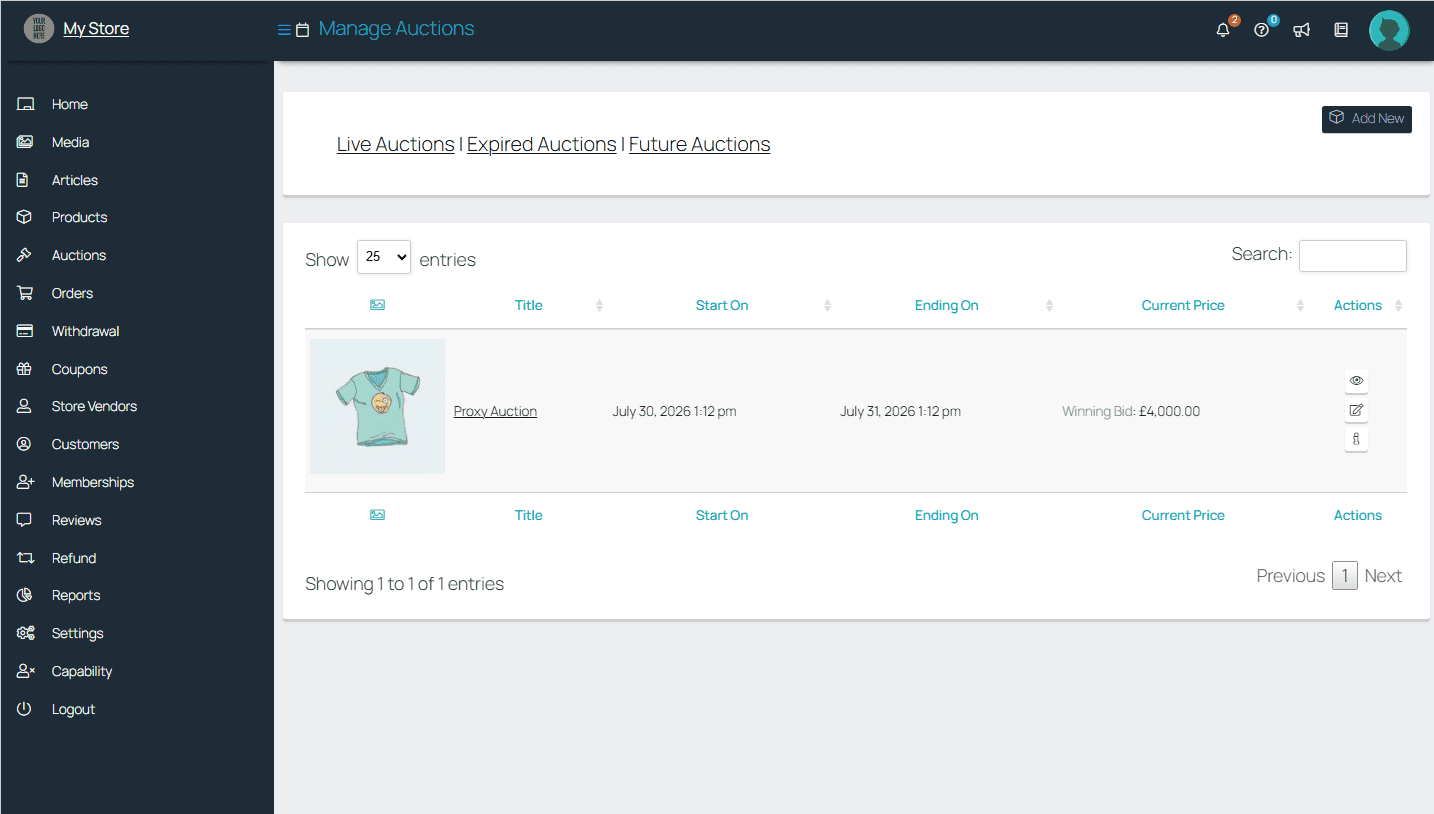
That’s the full setup. Start to finish, it takes about 30 minutes on a clean WooCommerce site, including installing both plugins, basic configuration, and confirming the auction option appears in the vendor dashboard. Compare that to the Dokan route, where you’re installing and connecting four separate pieces and upgrading to a higher-tier plan before a vendor can list a single auction.


Nitesh Singh is an e-commerce software architect and the Founder of Inception Software LLP. He has 16+ years of software engineering experience and has been building dedicated auction extensions for the WordPress and WooCommerce ecosystems since 2014. Connect with Nitesh on LinkedIn to track his latest developments in automated bidding tech or read his setup guides on the site.
More articles by Nitesh Singh →


 Easy Setup
 5 Star Support