


 Aug 30, 2026
  10 min read
eBay takes a cut of nearly every sale, controls your listing format, and can suspend your account without much warning. If you’re tired of that, you can run your own auction site on WordPress and keep the fees, the data, and the rules for yourself.
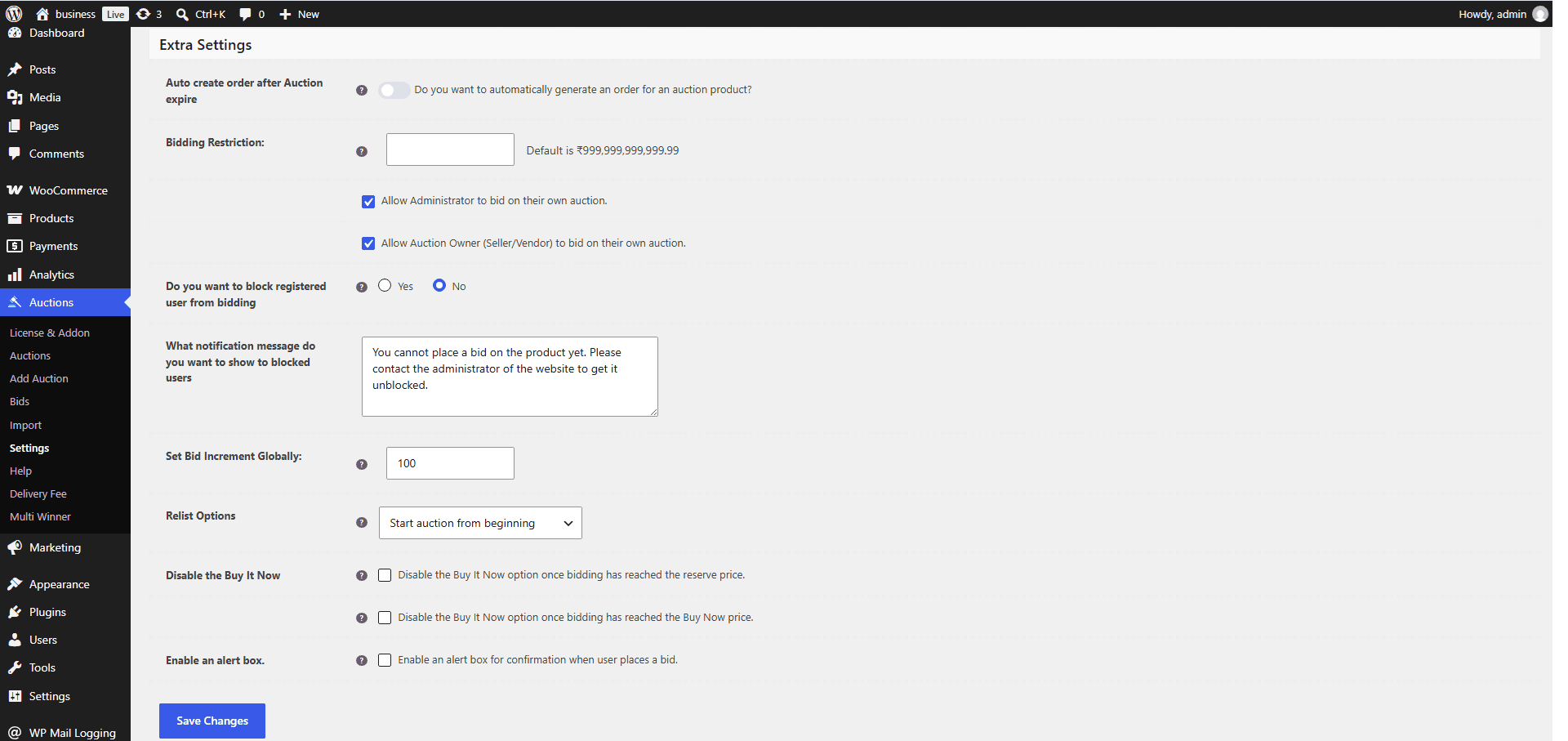
The fastest way to replace eBay is a self-hosted WordPress site running an auction plugin. You install it, set your bidding rules and payment method, and you’re live in under a day. No listing fees, no final value cut, and you own every buyer’s email address instead of eBay owning it.
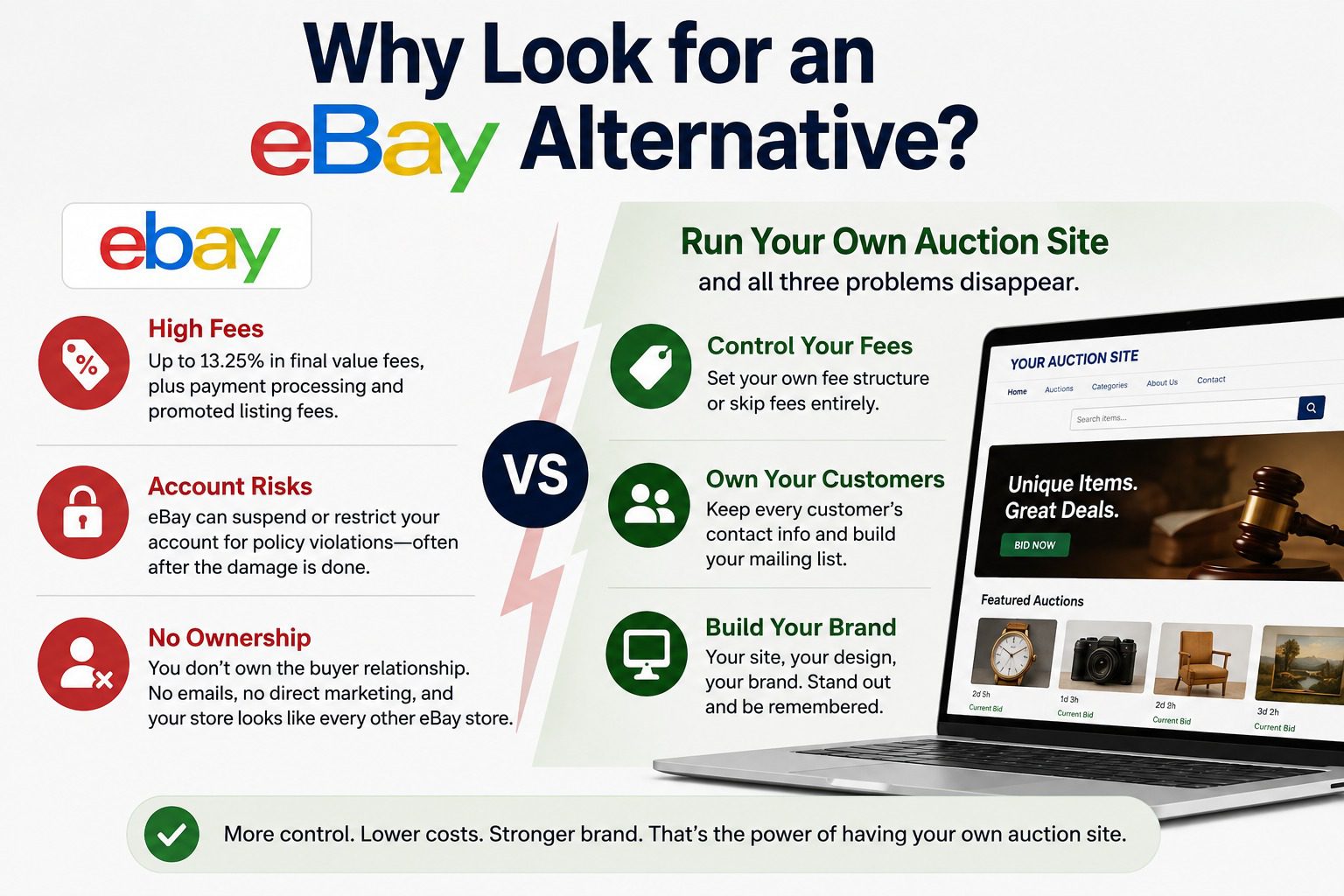
eBay’s final value fee runs up to 13.25% on most categories, and that’s before payment processing fees and any promoted listing costs you add on top.
Fees are just the start. eBay can suspend or restrict your account for policy violations you didn’t know existed, and you find out after the damage is done. You don’t own the buyer relationship either. Every email address, every repeat customer, belongs to eBay’s platform, not you. If you want to build a mailing list, run a sale, or just market directly to people who already bought from you, you can’t. And your store looks like every other eBay store. Same layout, same badges, same search bar. There’s no room to build a brand people remember.
Run your own auction site and all three problems disappear. You set the fee structure (or skip it entirely), you keep every customer’s contact info, and the site looks like yours.
You’ve got three real options, and they trade off in predictable ways.
Self-hosted (WordPress + auction plugin). You install WordPress on your own hosting, add a plugin like Auction Plugin, and configure bidding rules yourself. Lowest ongoing cost, full control over design and data, but you’re responsible for hosting and updates.
Marketplace SaaS (Shopify apps, Webflow plugins, etc). You build on a hosted platform and add auction functionality through an app or integration. Faster to launch, less technical maintenance, but you’re paying a monthly platform fee on top of the app cost, and you’re still somewhat locked into that platform’s rules.
Custom-built. A developer builds an auction system from scratch for your exact needs. Total control, but the highest cost and longest timeline, and you’re on the hook for every bug and update yourself.
| Self-hosted (WordPress) | Marketplace SaaS | Custom-built | |
|---|---|---|---|
| Setup time | Hours to a day | Hours to days | Weeks to months |
| Upfront cost | Low (plugin + hosting) | Low to moderate | High (developer cost) |
| Ongoing cost | Hosting only | Monthly platform + app fees | Maintenance/developer time |
| Control over data | Full | Partial | Full |
| Design flexibility | High | Limited to platform themes | Unlimited |
| Technical maintenance | You (or your host) | Platform handles it | You or your developer |
For most sellers leaving eBay, self-hosted WordPress hits the best balance. It’s the option and it’s what the rest of this guide walks through.
You can have an auction site live in an afternoon. Here’s the actual path.
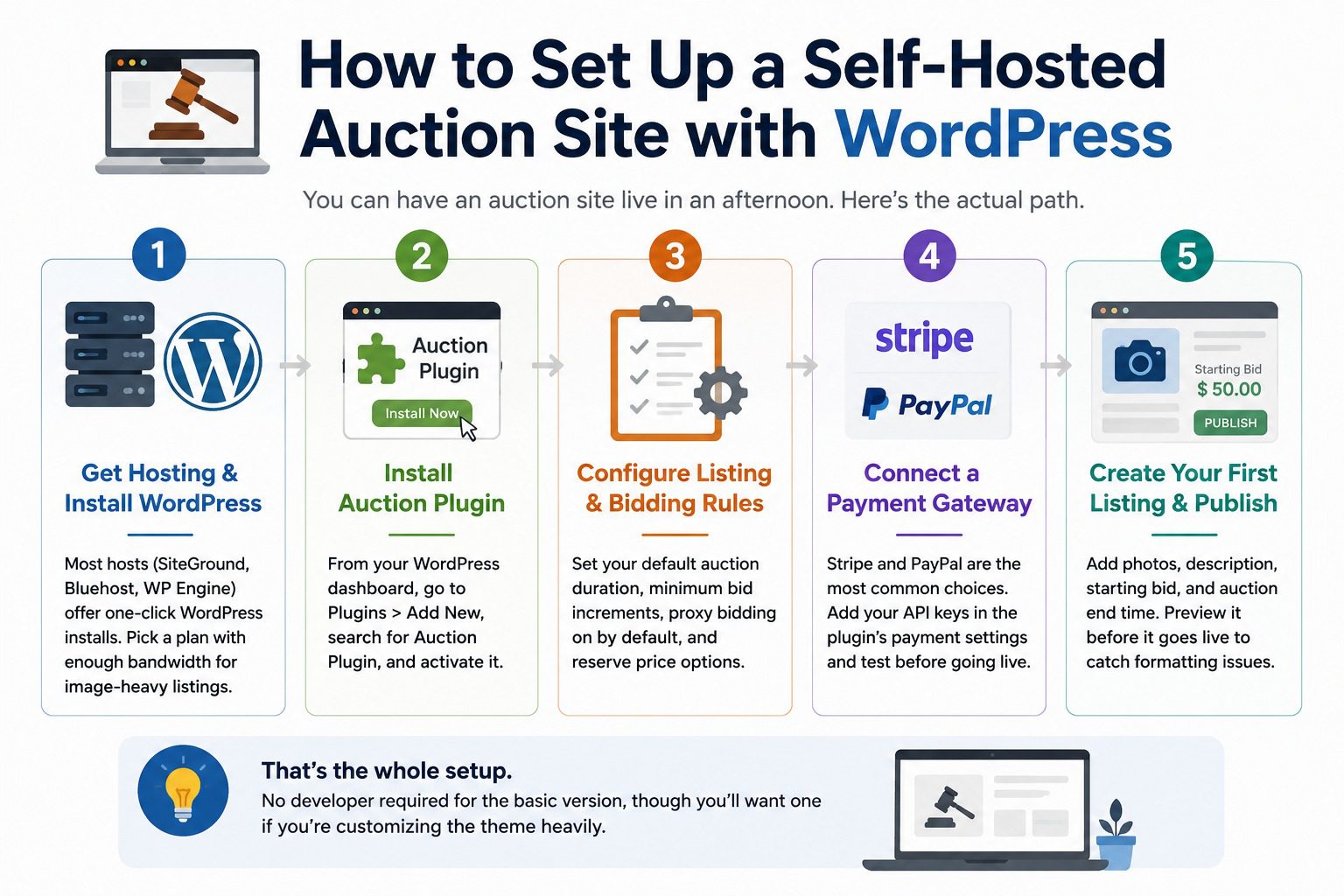
1. Get hosting and install WordPress. Most hosts (SiteGround, Bluehost, WP Engine) offer one-click WordPress installs. Pick a plan with enough bandwidth for image-heavy listings, since auction photos add up fast.
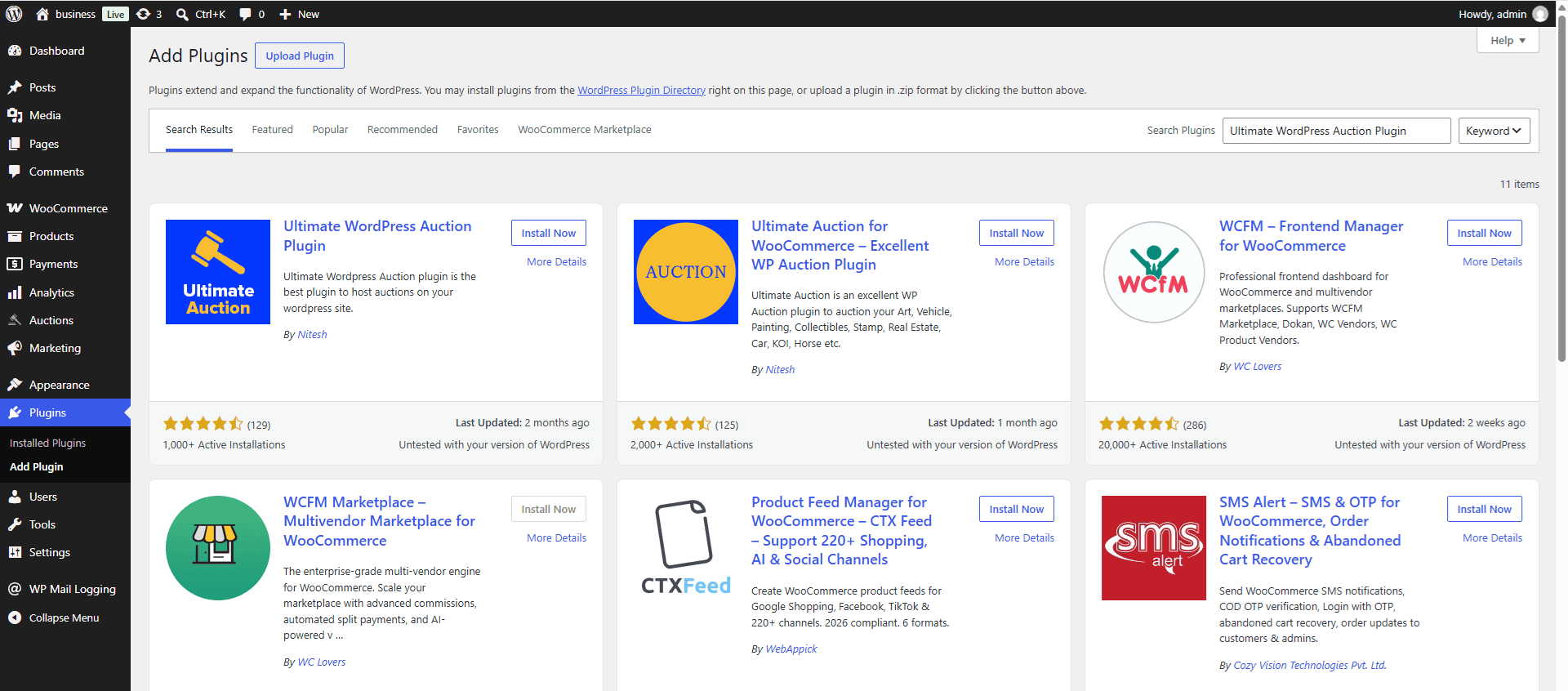
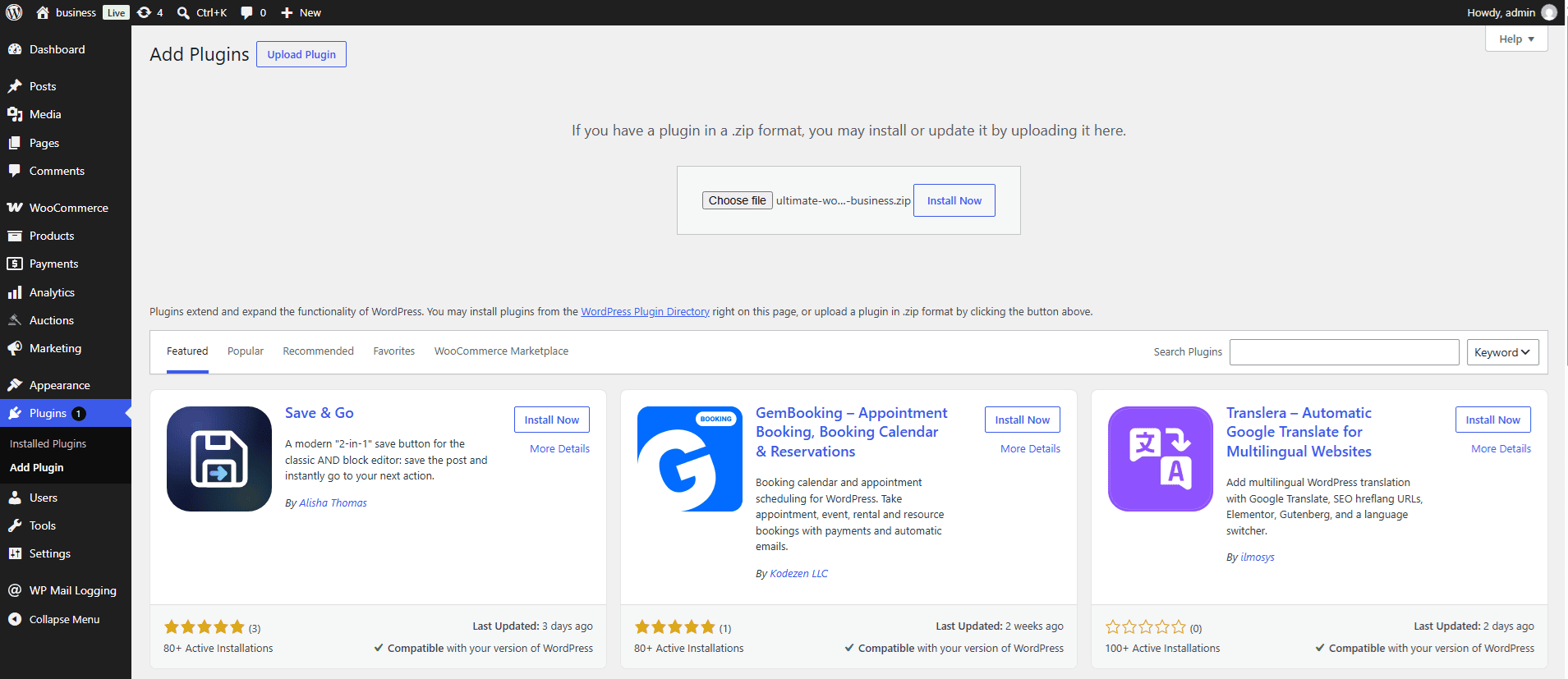
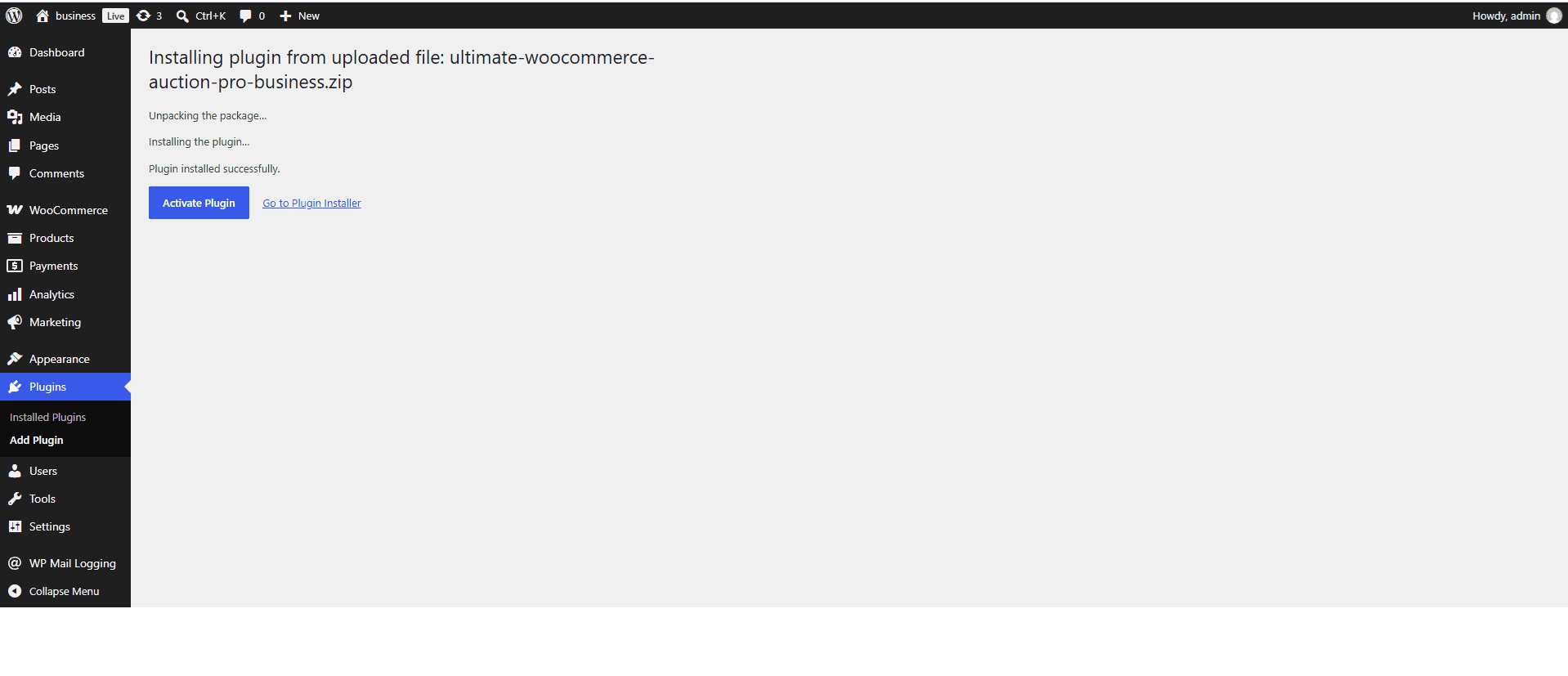
2. Install the Auction Plugin. From your WordPress dashboard, go to Plugins > Add New, search for Auction Plugin, and activate it.
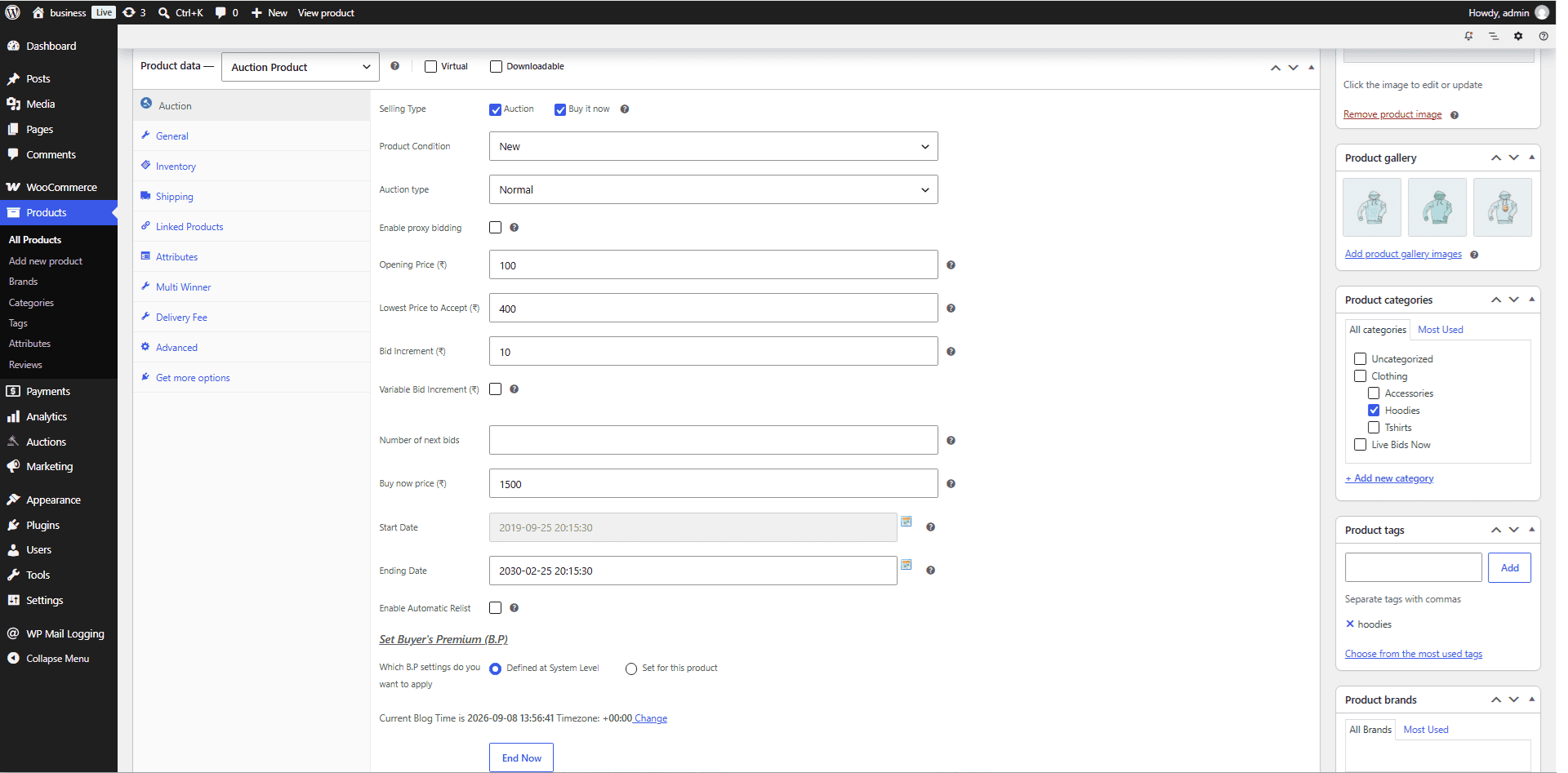
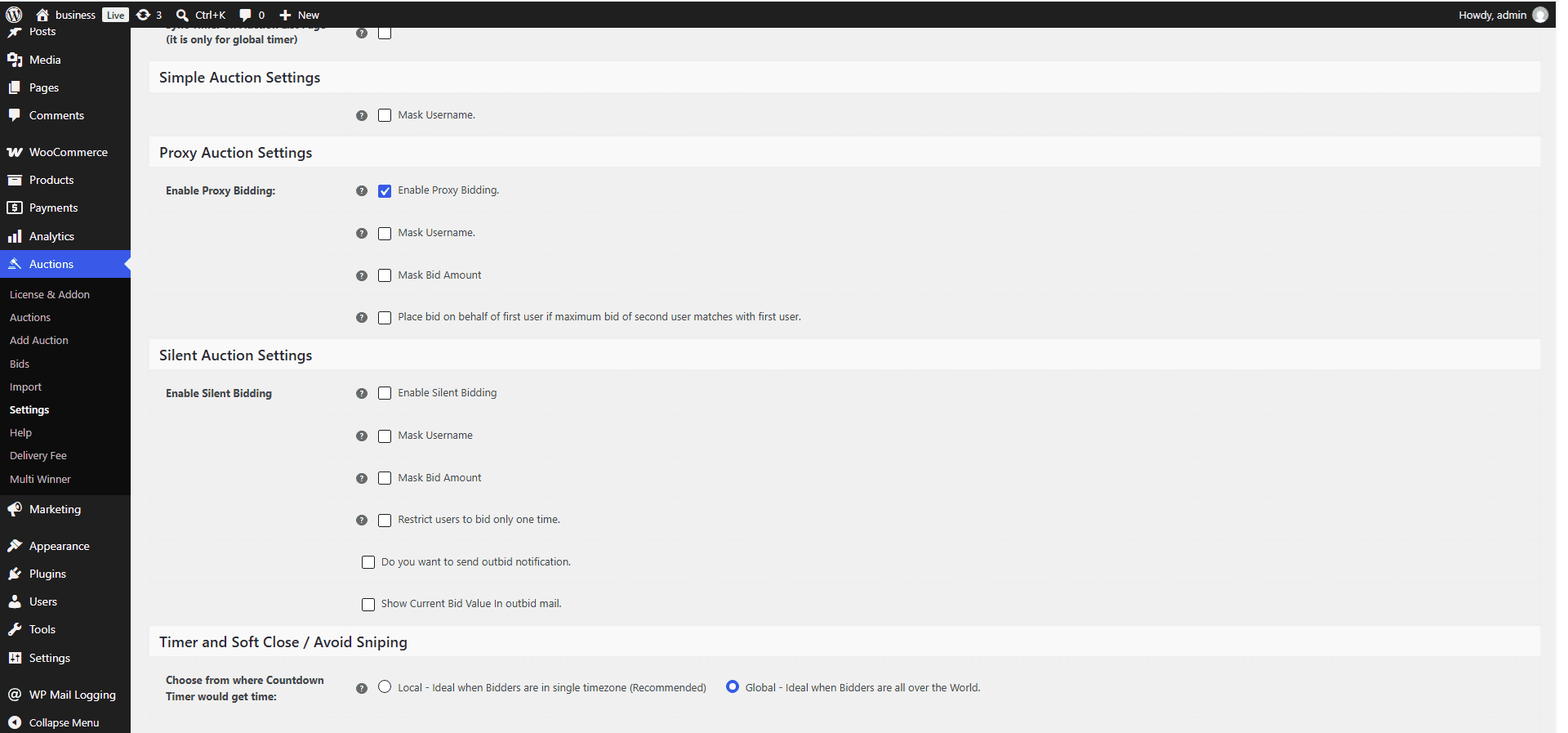
3. Configure your listing and bidding rules. Set your default auction duration, minimum bid increments, whether you want proxy bidding on by default, and reserve price options. This is where your site starts to look different from a generic template.
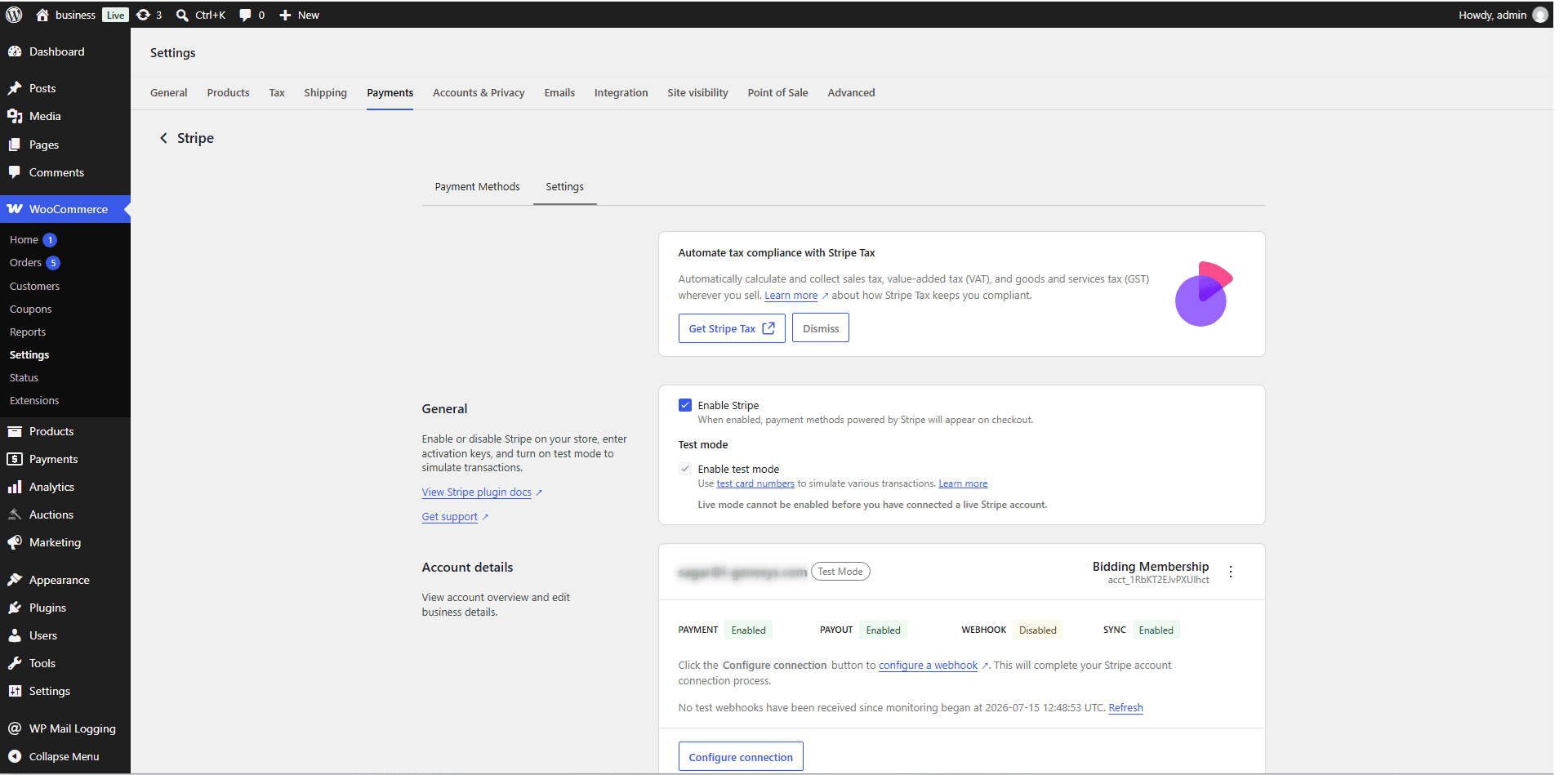
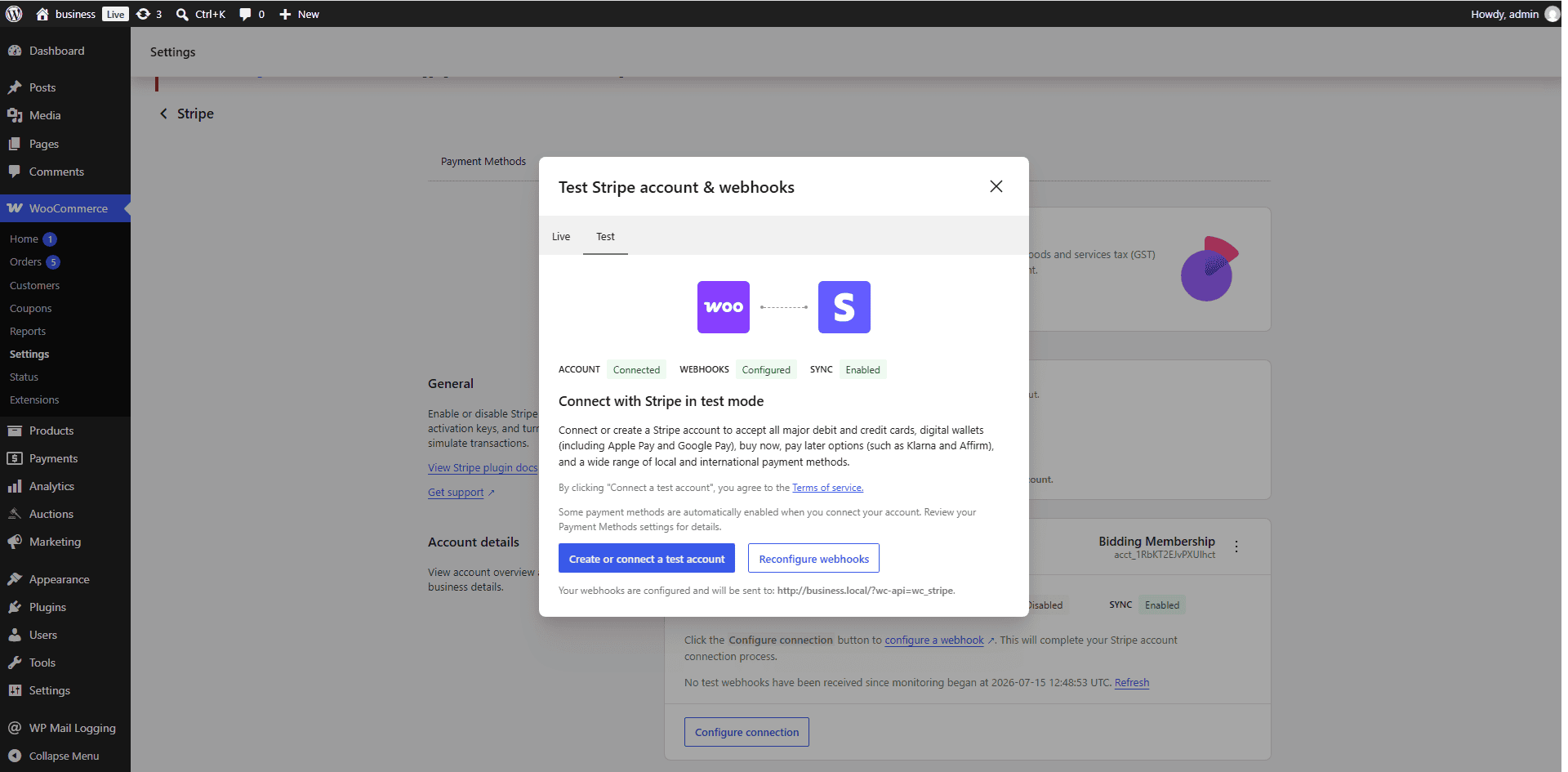
4. Connect a payment gateway. Stripe and PayPal are the two most common choices. Add your API keys in the plugin’s payment settings and test with a small transaction before going live.
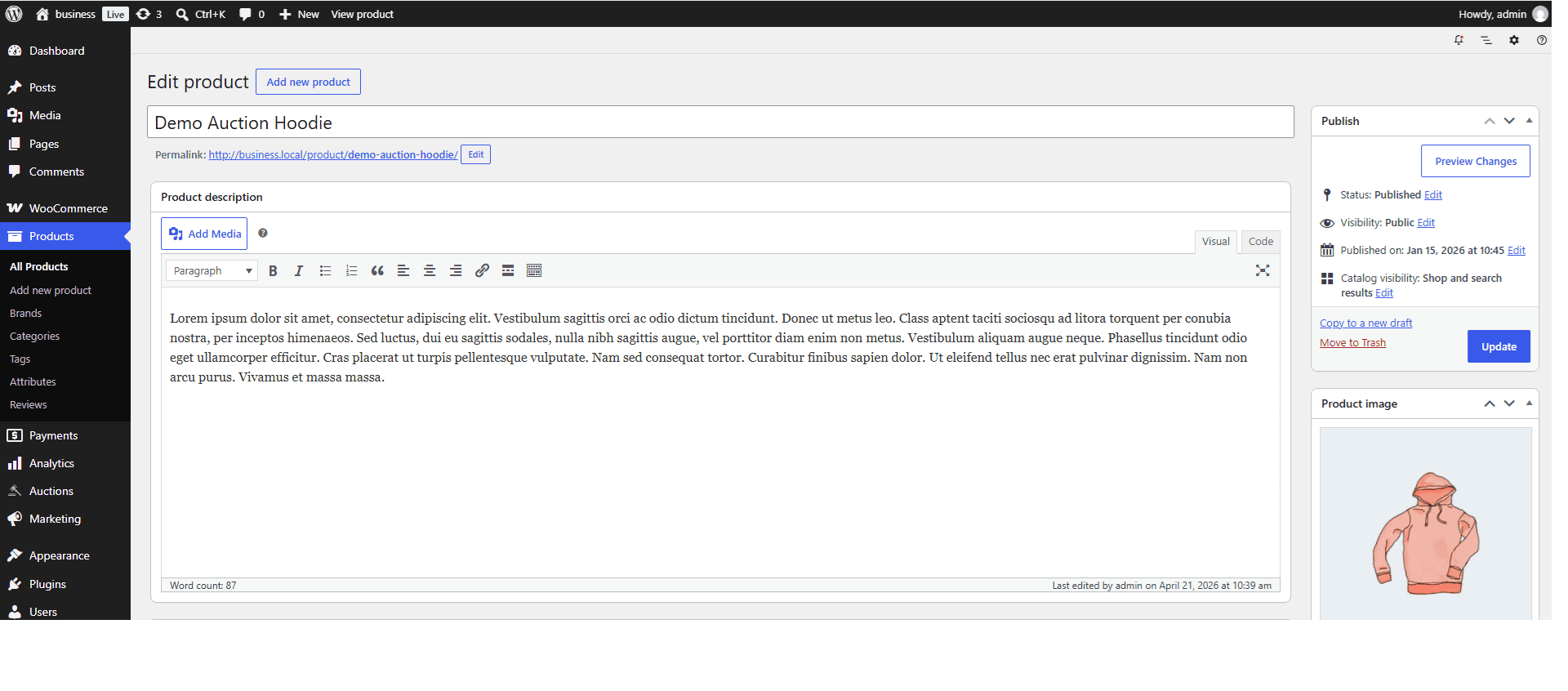
5. Create your first listing and publish. Add photos, a description, starting bid, and auction end time. Preview it before it goes live to catch formatting issues.
That’s the whole setup. No developer required for the basic version, though you’ll want one if you’re customizing the theme heavily.
A bare-bones auction plugin gets you a bid button and a countdown timer. That’s not enough to compete. Here’s what actually matters:

Proxy bidding. Buyers set their maximum bid once, and the system automatically bids the minimum needed to stay ahead, up to their limit. Without this, buyers have to babysit every auction, and they’ll leave for a site that doesn’t make them do that.
Reserve prices. Sellers set a minimum price the auction has to hit before the item actually sells, without showing that number publicly. This protects sellers from giving away high-value items at a low opening bid.
Auto-relist. If an item doesn’t sell, or doesn’t hit reserve, the listing goes back up automatically instead of the seller manually recreating it.
Buyer/seller messaging. A built-in way for buyers to ask questions before bidding, and sellers to follow up after the sale, without exposing personal email addresses.
Mobile responsiveness. Most bidding happens on phones now, often in the last few minutes of an auction. If your site doesn’t work well on mobile, you’ll lose bids in exactly the moments that matter most.
Payment and escrow options. Direct Stripe/PayPal checkout works for most cases, but higher-value items benefit from an escrow option that holds payment until the buyer confirms the item arrived as described. This builds the kind of trust eBay’s buyer protection used to handle for you.
This is the real trade-off of leaving eBay. You lose their built-in foot traffic, so you need to build your own.
SEO. Write product pages and category pages that actually target what buyers search for. “Vintage camera auction” beats a generic “shop now” page every time. This takes months to build momentum, but it’s free traffic that compounds.
Niche communities. Find where your specific buyers already hang out. Collectors forums, Facebook groups, subreddits built around your category. Post there when you have something genuinely relevant, not as a sales pitch every time.
Email lists. Every auction you run is a chance to collect an email address. Once someone bids or buys, you can tell them about your next auction directly instead of hoping they stumble back onto your site.
Paid ads. Google Shopping ads or Facebook ads targeted at your category can bring in bidders fast, though this eats into the margin you gained by leaving eBay’s fees behind. Best used to jumpstart traffic while your SEO and email list build up.
Cross-listing. Nothing says you have to leave eBay entirely on day one. Some sellers list on both eBay and their own site, using eBay traffic to funnel buyers toward their independent site over time.
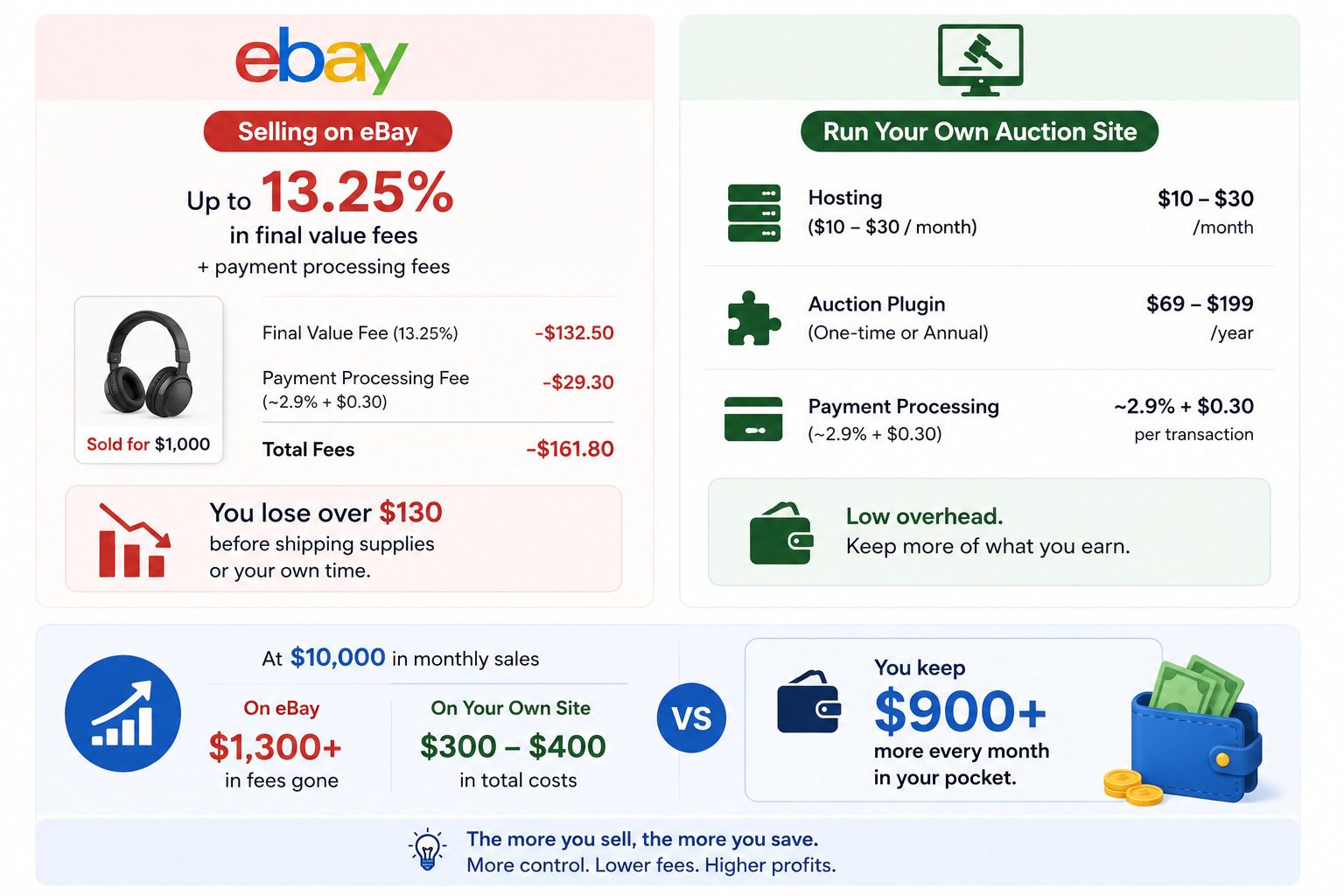
eBay charges up to 13.25% in final value fees on most categories, plus payment processing fees on top. On a $1,000 sale, that’s over $130 gone before you’ve paid for shipping supplies or your own time.
Running your own site flips that math. You’re paying for hosting (typically $10 to $30 a month), the auction plugin itself, and payment processing fees from Stripe or PayPal, which run around 2.9% plus 30 cents per transaction, similar to what you’d pay anyway inside eBay’s system.
The difference shows up at volume. If you’re doing $10,000 a month in sales, eBay’s fees alone could run over $1,300. A self-hosted setup at keeps nearly all of that difference in your pocket instead.
You don’t need eBay’s marketplace to run auctions. You need a site that’s actually yours: your fees, your buyer list, your brand. Install Auction Plugin on your WordPress site today and get your first auction live within the hour.


Nitesh Singh is an e-commerce software architect and the Founder of Inception Software LLP. He has 16+ years of software engineering experience and has been building dedicated auction extensions for the WordPress and WooCommerce ecosystems since 2014. Connect with Nitesh on LinkedIn to track his latest developments in automated bidding tech or read his setup guides on the site.
More articles by Nitesh Singh →





 Easy Setup
 5 Star Support